
Siegfried satellite · 4 of 5
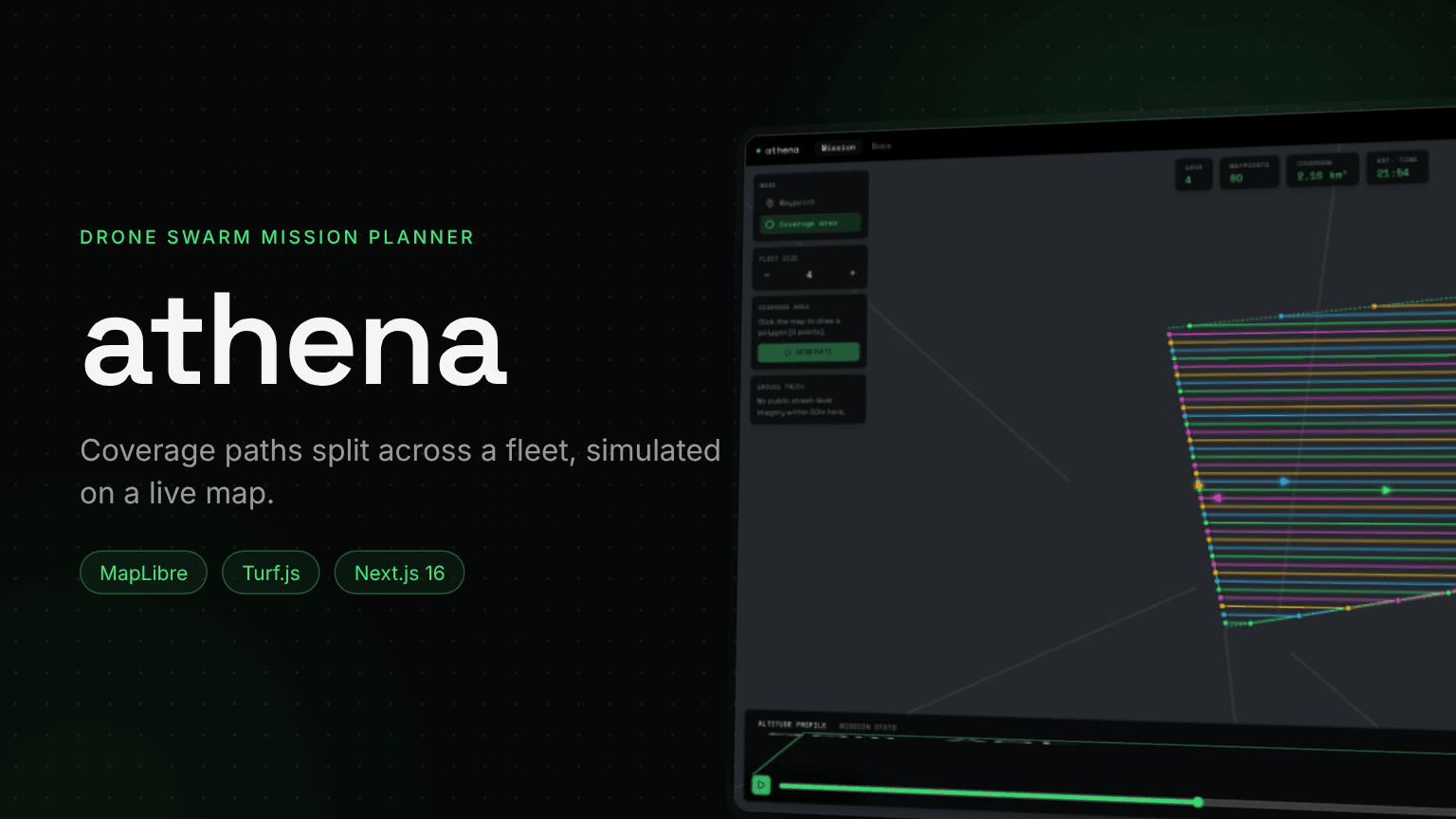
Athena - Drone Swarm Mission Planner
Draw an area on a real map, choose a fleet size and get a coverage plan: real computational geometry splits the area into lanes, deals them across the drones and plays the mission back.
Role
Design & Development
Stack
Next.js, MapLibre, Turf.js
Type
Geospatial planning UI
Identity
Phosphor · Space Grotesk
1. Overview
Named for the goddess of strategy, planning rather than brute force, Athena is a planning tool: waypoints, coverage areas and the coordination of several drones. It is a satellite of Siegfried, and the first one built to be visually dense on purpose, after earlier satellites drifted toward minimalism.
It does not try to fly anything. There is no flight-controller protocol, no physics and no airspace or battery-reserve validation, as there would be in QGroundControl or DJI FlightHub 2. The map, the geometry and the reference photos are real; the flight is a disclosed simulation.
⚠️ The Problem
Covering an area with several drones by hand means drawing dozens of parallel legs, balancing them across the fleet and estimating whether each drone can finish. It is slow, and easy to get wrong.
✓ The Solution
Draw the outline, let the geometry do the rest. The planner computes the sweep lanes, assigns them round-robin and chains each drone's lanes into one continuous path, with distance, time and battery per drone before take-off.
2. The Coverage Algorithm
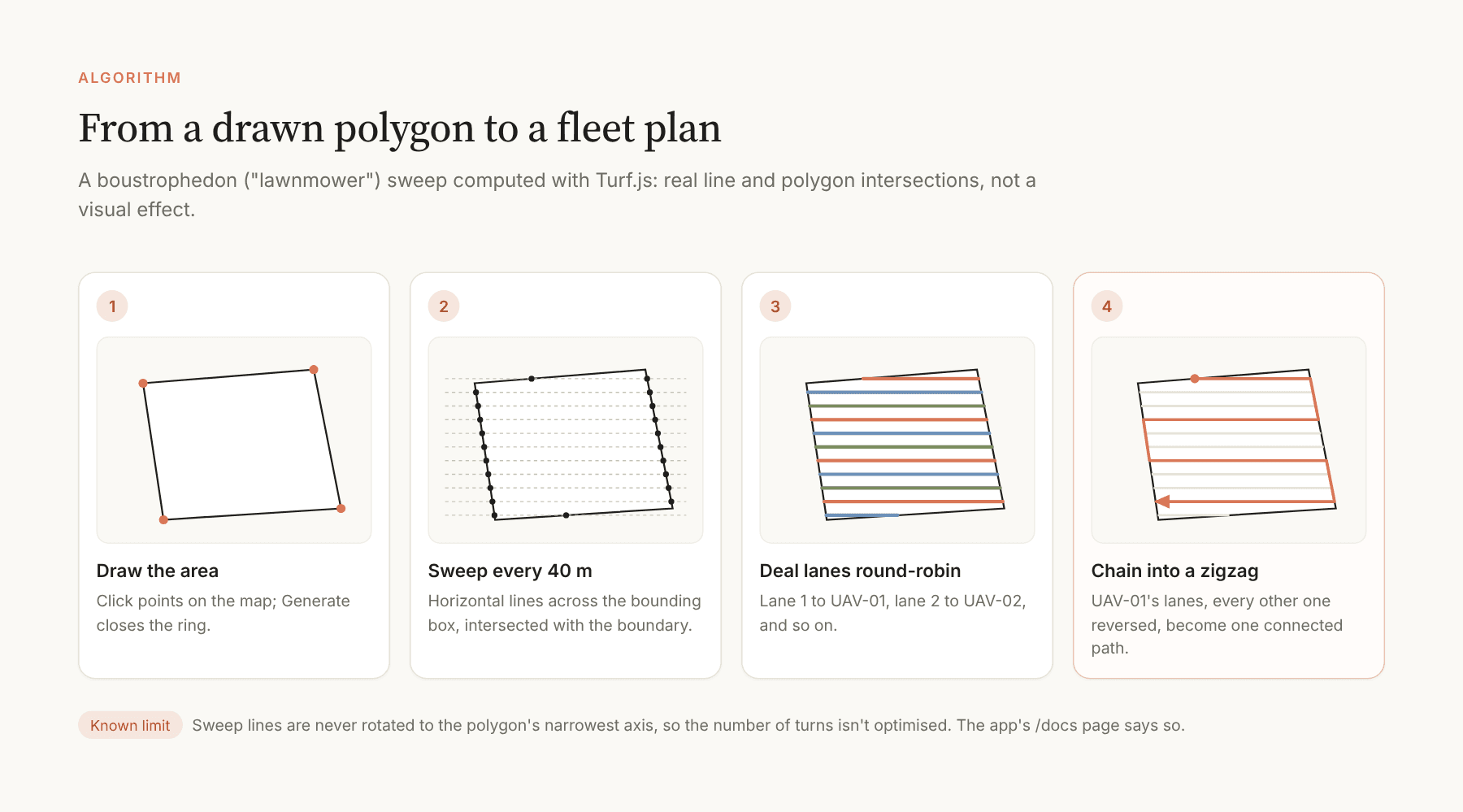
A boustrophedon, or lawnmower, sweep. Turf.js intersects horizontal sweep lines, spaced 40 metres apart, with the drawn polygon's boundary; each pair of crossings becomes a lane. Lanes are dealt round-robin across the fleet, and every other lane is reversed so that each drone's legs connect end to end.
3. The Mission View
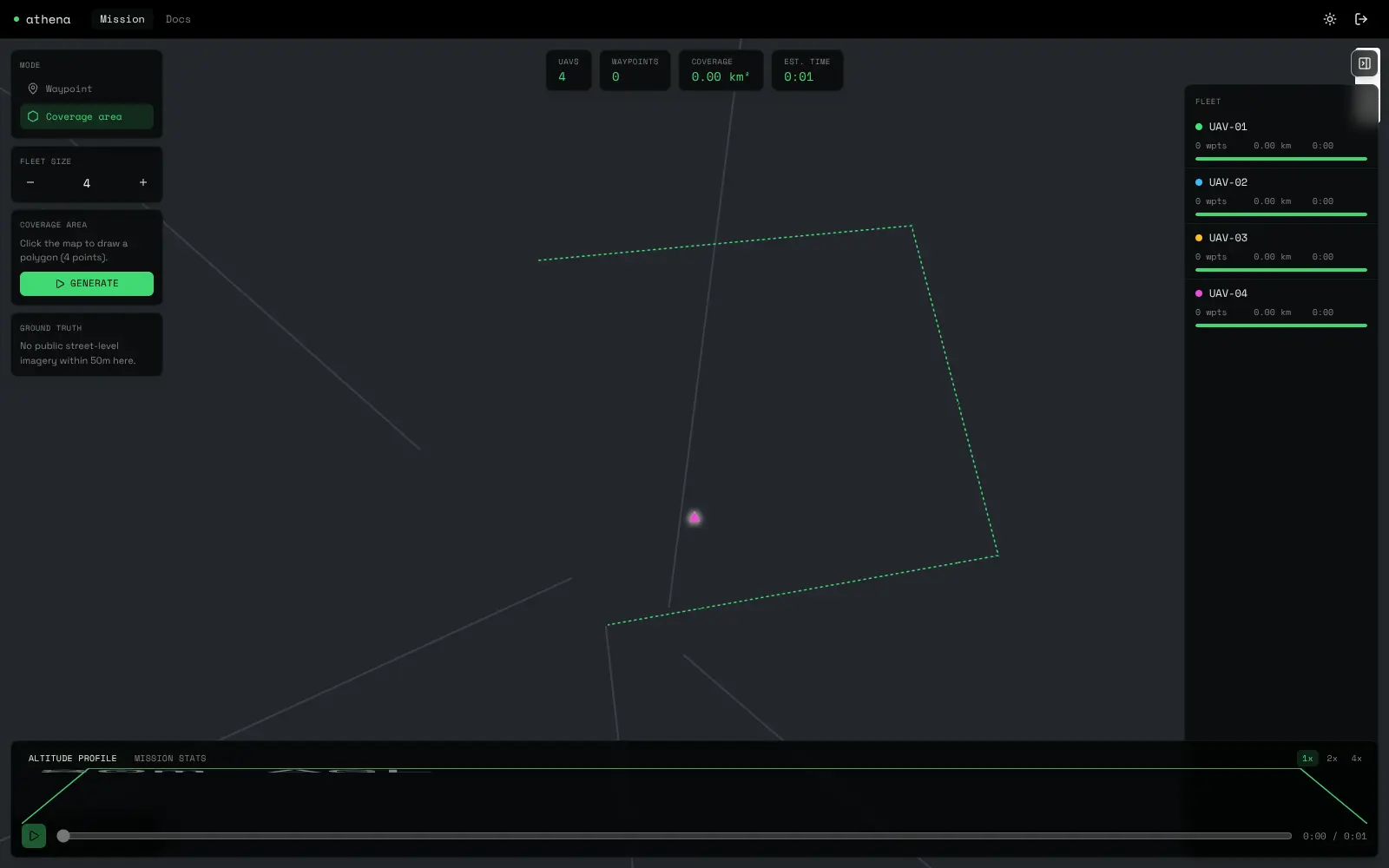
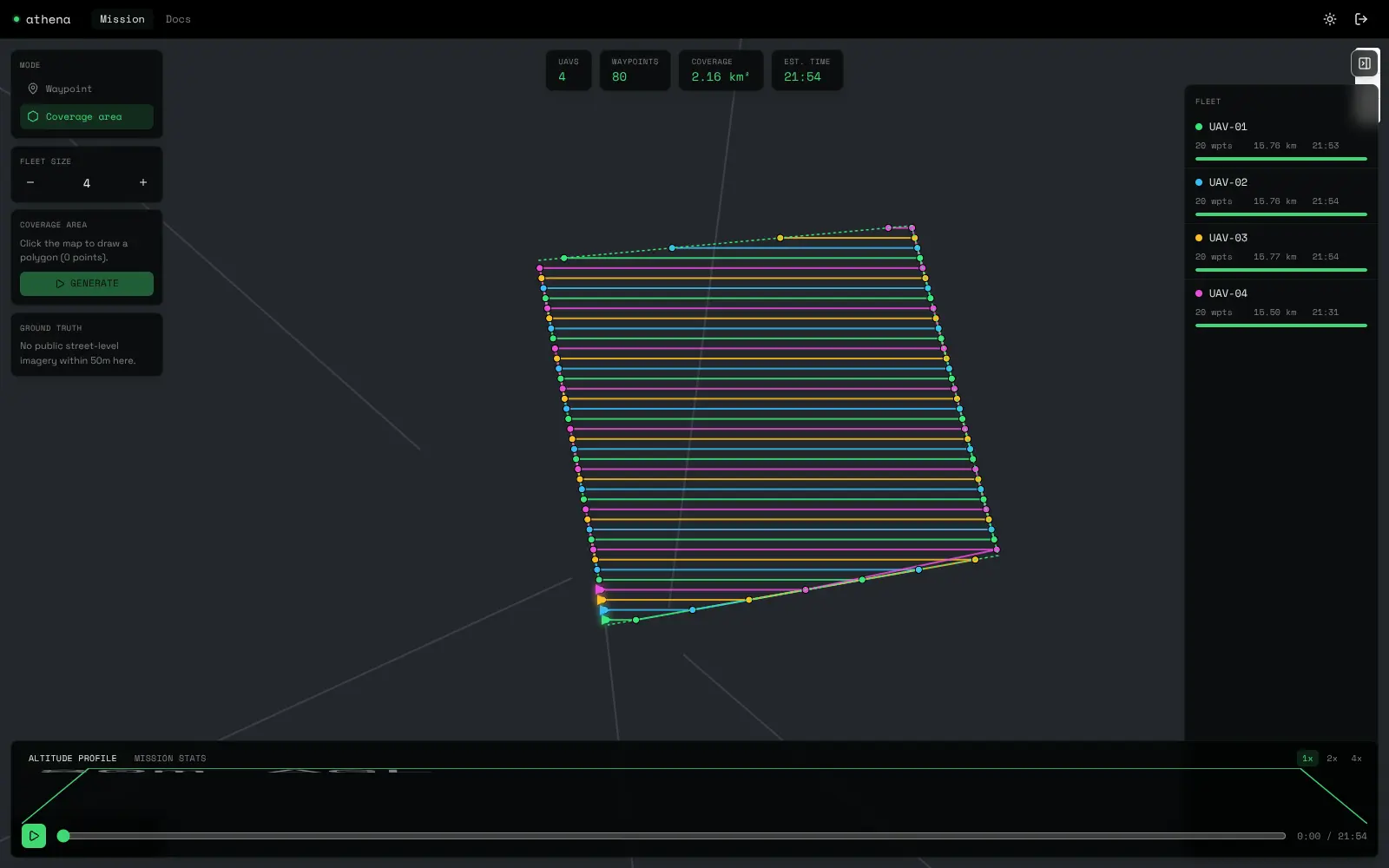
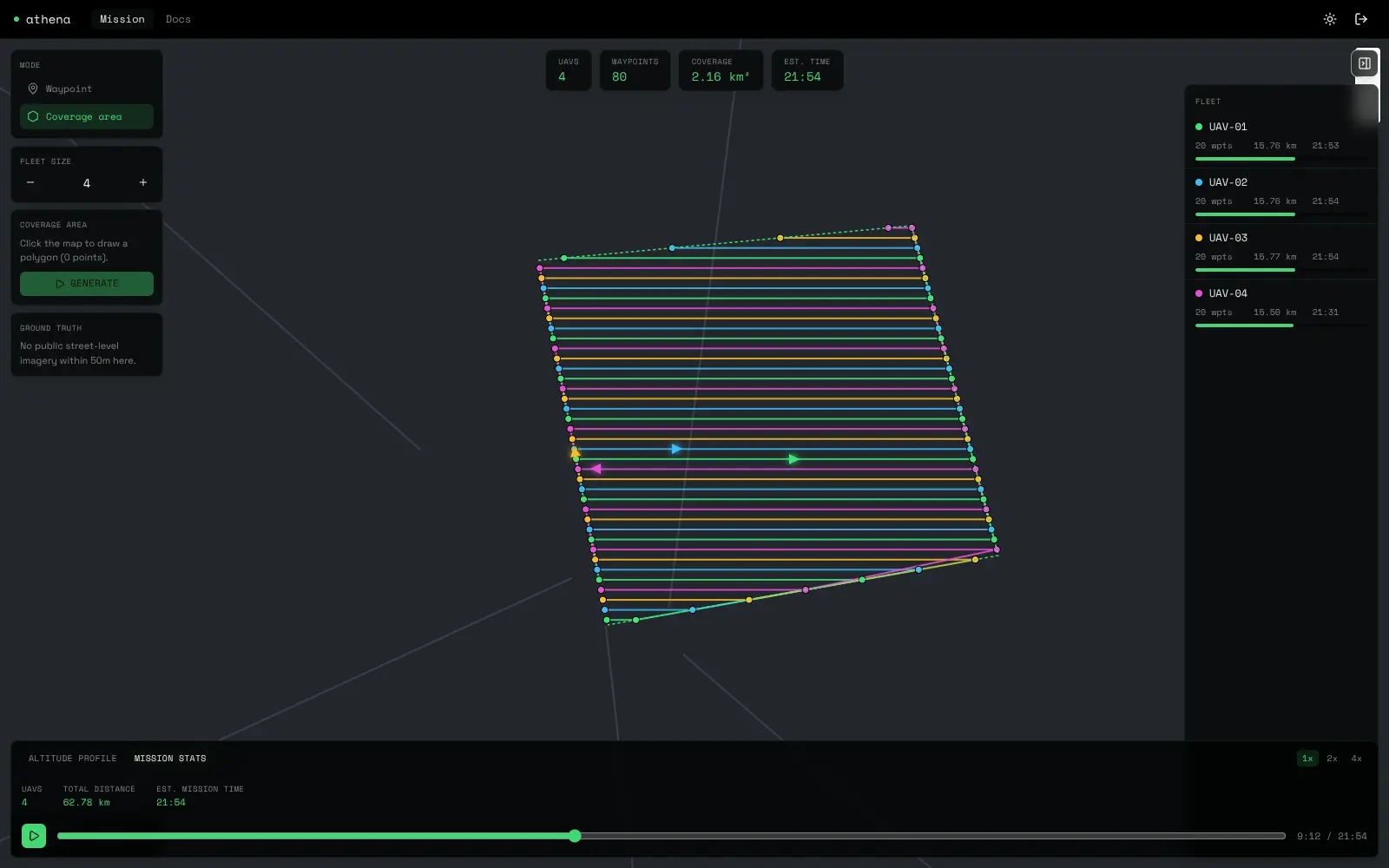
The layout borrows QGroundControl's grammar (a tool strip on the left, an editor panel, stats along the bottom) and DJI FlightHub 2's floating glass tiles over a dark map.
Tool strip: Waypoint or coverage mode, the active drone, a fleet-size stepper and Generate.
KPI tiles: Drones, waypoints, covered area and estimated time.
Fleet panel: Waypoints, distance, time and battery for each drone.
Bottom bar: Altitude profile or mission stats, with play, pause, speed and a scrubber.
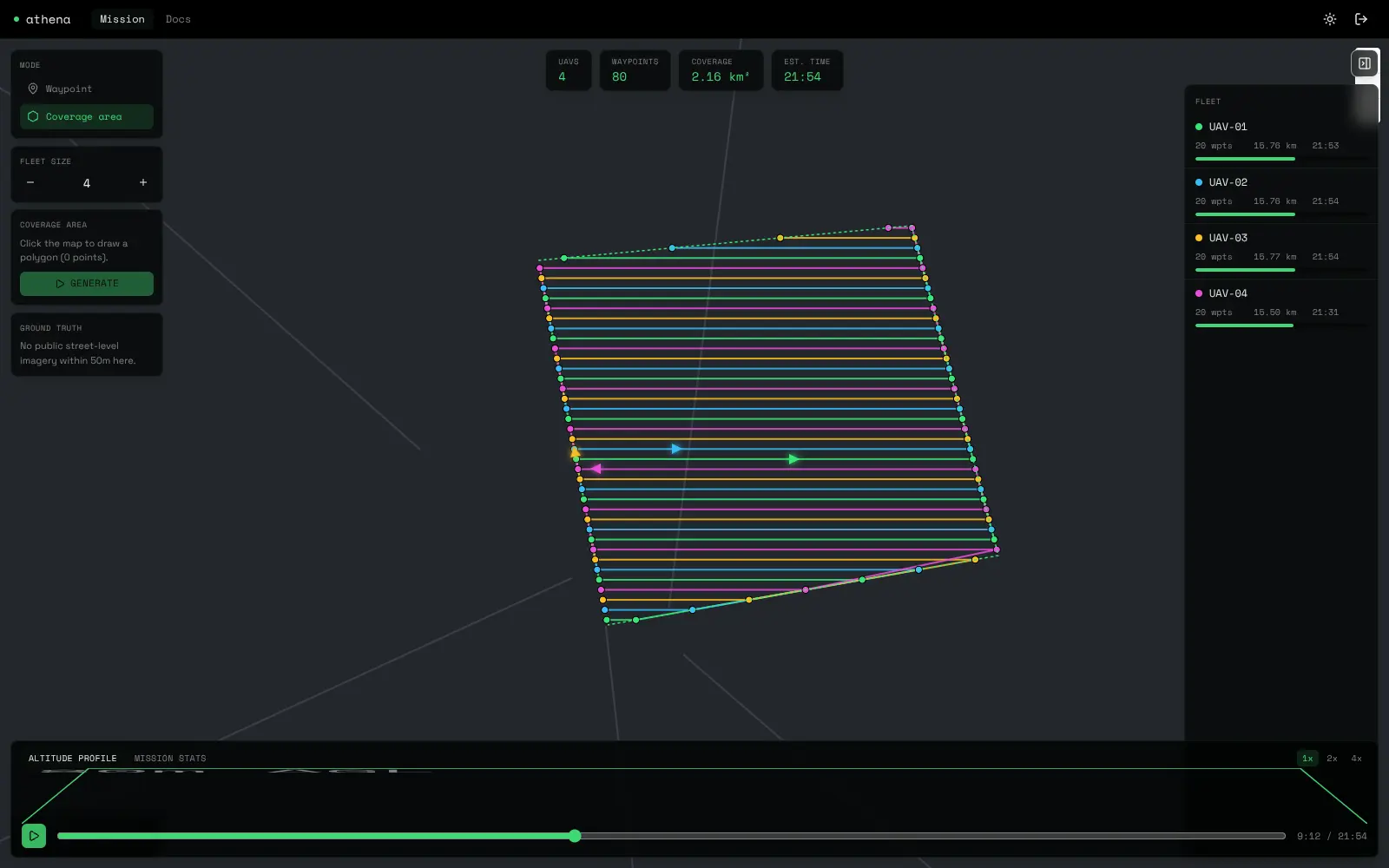
A simulation that says it is one
Positions come from walking each path's cumulative distance at a constant cruise speed of about 43 km/h, battery drains linearly, and altitude holds flat after a short take-off ramp. It is enough to compare plans, and the docs page states exactly that.
Ground truth from real photos
Clicking the map asks Mapillary for the nearest public street-level photo within 50 metres, through a server route so the token never reaches the browser. It is labelled as a real photo for context, never as the drone's camera, and "nothing within 50 m" is shown honestly, because it is the common case.
4. Engineering Notes
MapLibre under Turbopack: The library's worker does not resolve under Turbopack, so it is served from public/ and set explicitly before the first map is created.
A collapsing map: MapLibre's own stylesheet overrides absolute positioning on the container, so the map is sized with full width and height inside a positioned wrapper.
Markers after a remount: Strict mode recreates the map in development; tracked markers are cleared in the same cleanup that removes the map, or they silently never come back.
5. Outcome
40 m
lane spacing
1-6
drones per plan
3
real layers: map, geometry, photos
0
API keys for the map
Key Takeaways
- Real geometry earns trust: Lanes computed from actual intersections behave correctly on any shape a user draws.
- Density can be calm: Many panels work when the accent is kept for signals and everything else stays gray.
- Name the limits: The sweep is never rotated to the polygon's narrowest axis, and the docs say so instead of hiding it.
Next steps: Rotate the sweep to the minimum-width axis to cut turns, and add a battery reserve check per drone.