
Version 2 · 2026 · rebuilt from the WordPress original
Lifepoint Church - From WordPress to a Custom Platform
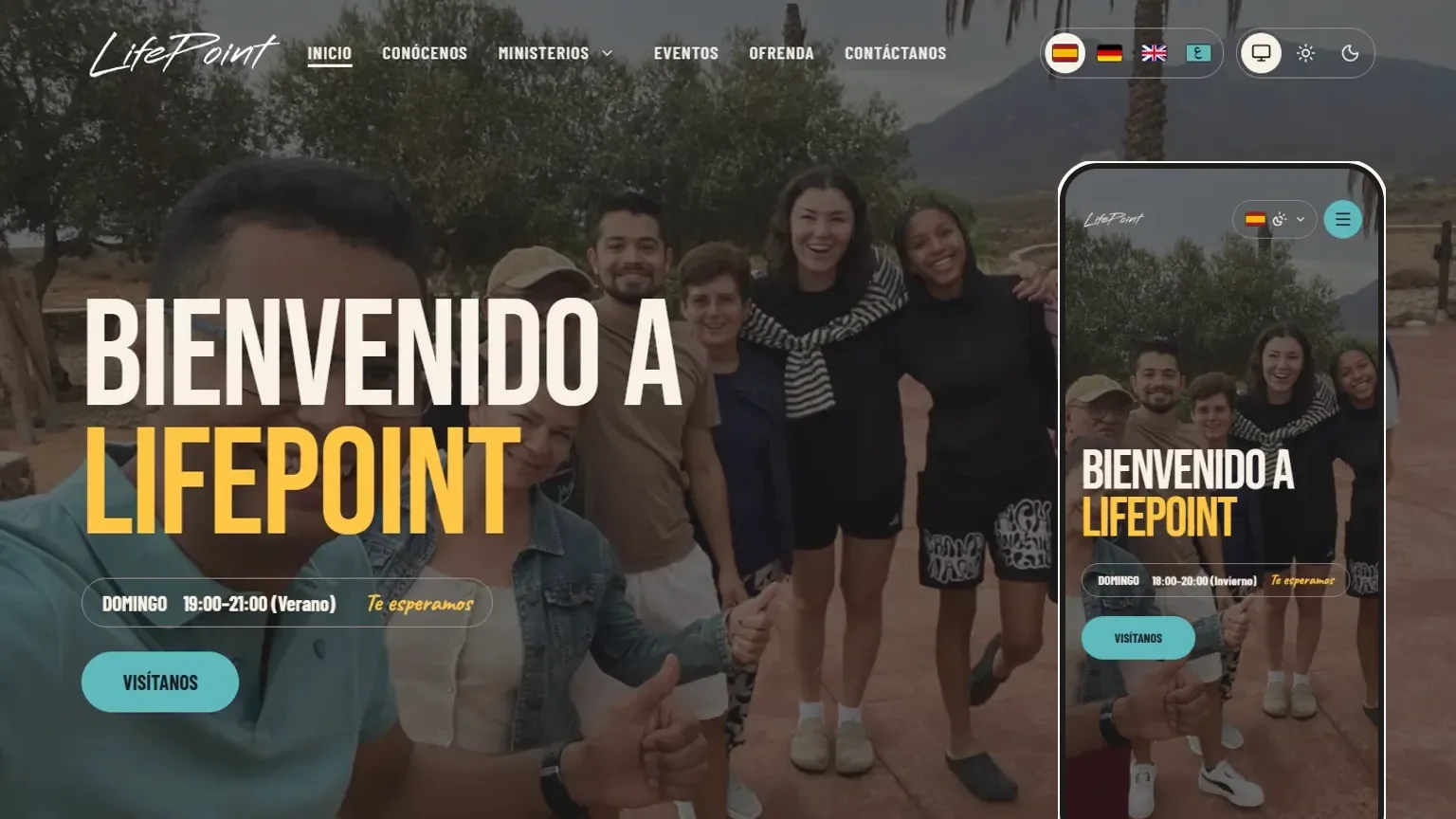
The website of an evangelical church in Almería, Spain, rebuilt as three apps that share one content model: a public site in four languages, a console where the team edits it, and the API behind both.
Role
Design Direction & Public Site
Team
Built with Oswaldo
Stack
Next.js, NestJS, PostgreSQL
Timeline
2024 → 2026
1. Overview
This project has two lives. In 2024 I designed and built Lifepoint's first website on WordPress. In 2026 it was rebuilt from scratch as a small platform: a public website, a content console and an API, in a single repository.
The platform was built together with Oswaldo, who owns the repository and wrote most of its foundations. This page starts with the current version and then goes back to where it began.
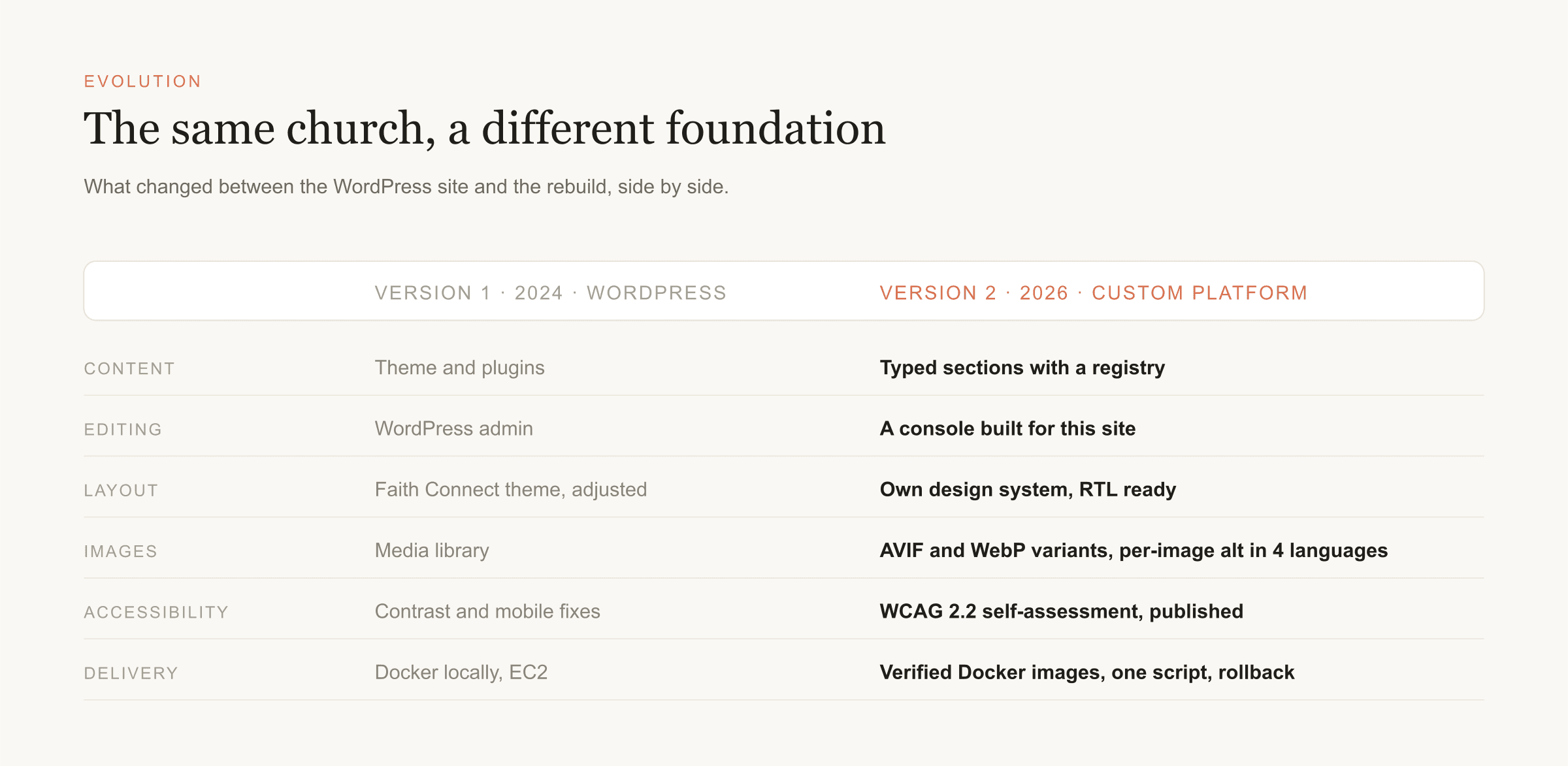
2. Evolution
The first site did its job: a warm, clear and accessible home online for newcomers, built on the Faith Connect WordPress theme with custom PHP and Tailwind adjustments, a navigation designed for first-time visitors, and a Docker environment that moved to a production-ready EC2 instance. What changed is what the team now asks of it.
A walkthrough of the original site is still online: watch Version 1.
3. Goals of the Rebuild
⚠️ What the site needed to do
- Four languages: Spanish, German, English and Arabic, which is written right to left
- Edited by non-developers, in each language, without breaking the layout
- Accessible to everyone, including people who zoom, force their own fonts or use a screen reader
- Fast on modest connections, with a lot of photography
✓ The approach
The design lives in code, the words live in the database. Every page is a fixed list of typed sections. Editors change the text, images and visibility of each section in all four languages from a console, and cannot change the layout by accident.
4. Architecture
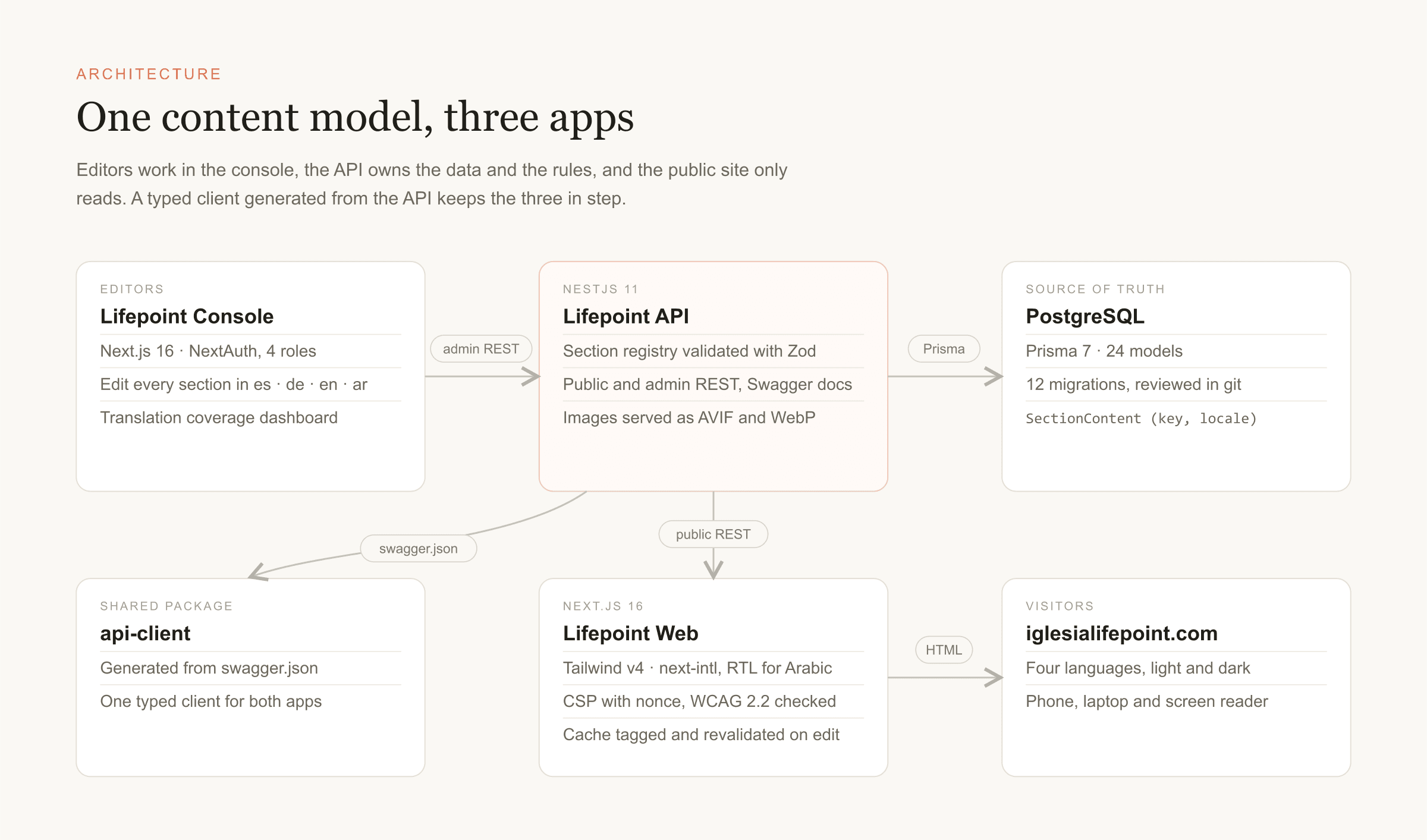
A monorepo with three apps and one shared package. The API is the only thing that talks to the database; the console and the website use a typed client generated from the API's own Swagger document, so a change to a field shows up as a compile error everywhere it matters.
5. Lifepoint Web
The public site: Next.js 16 and React 19 with Tailwind v4 and next-intl. It renders what the API serves and nothing else, and it is the part I worked on most.
A hero that moves without slowing the page
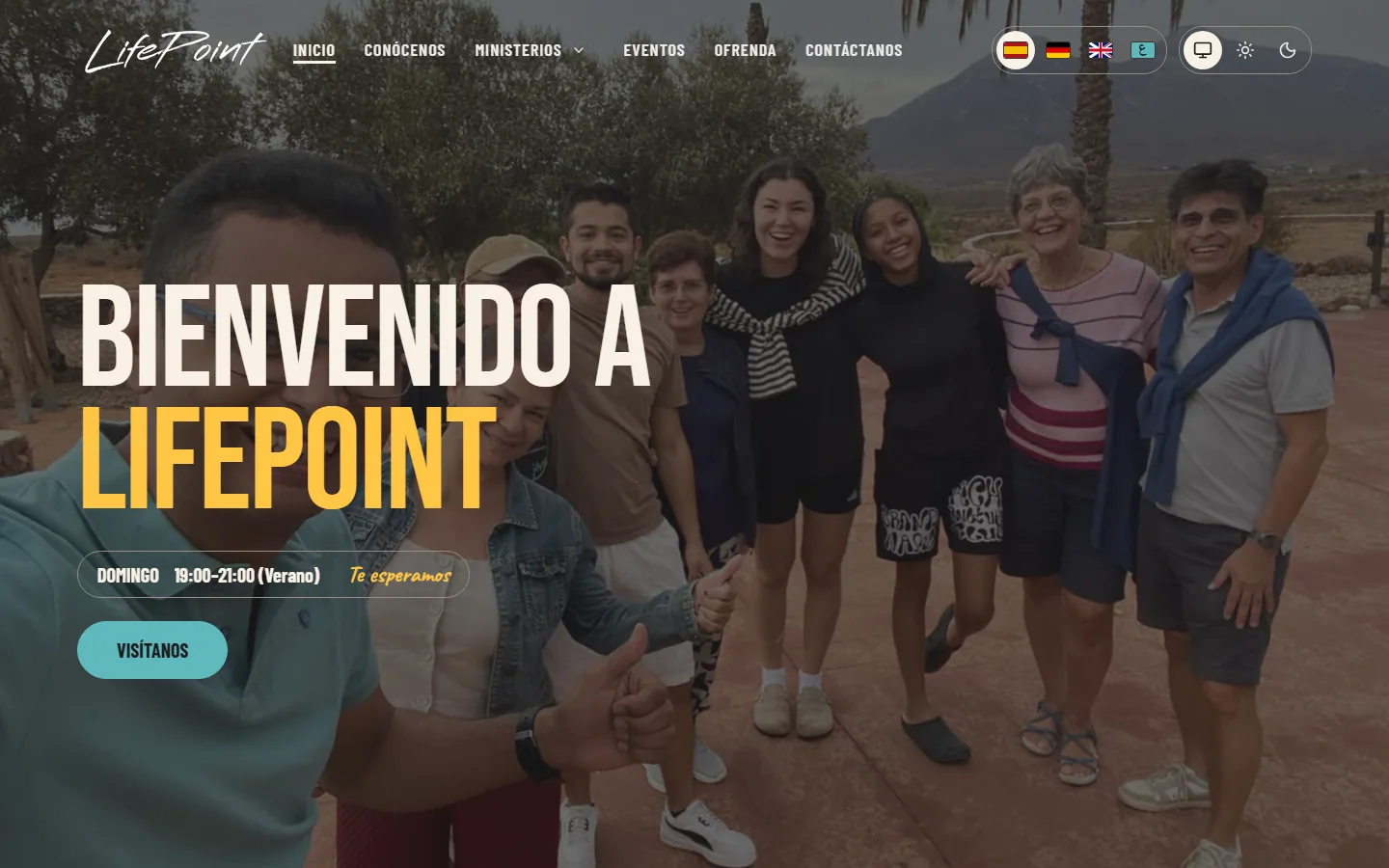
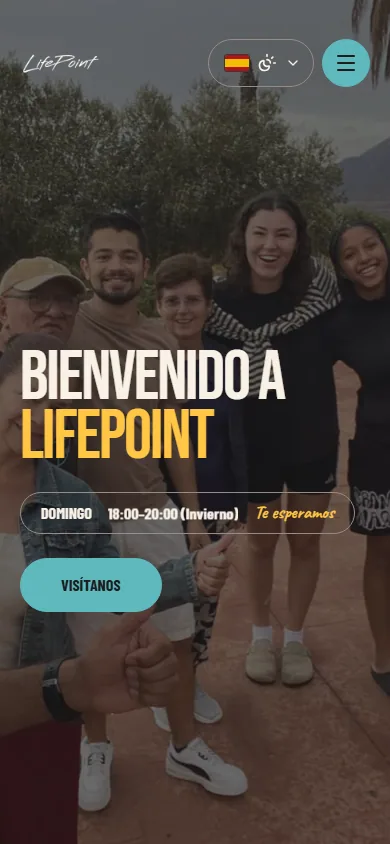
The background is a montage of sixteen photos from a church retreat that slowly zoom and cross-fade. The HTML contains only the first photo, so the page paints as fast as a static one; the rest are downloaded one at a time, just before their turn, in WebP at two widths. The montage stops when the tab is hidden or the hero is off screen, and it never starts for people who ask for reduced motion or have data saving on.
The service time is a small label that rolls vertically between the summer and the winter hour. It is pure CSS: both lines are always in the page for screen readers, it pauses on hover and focus, and with reduced motion the two lines simply stack.
Ministries as a mosaic
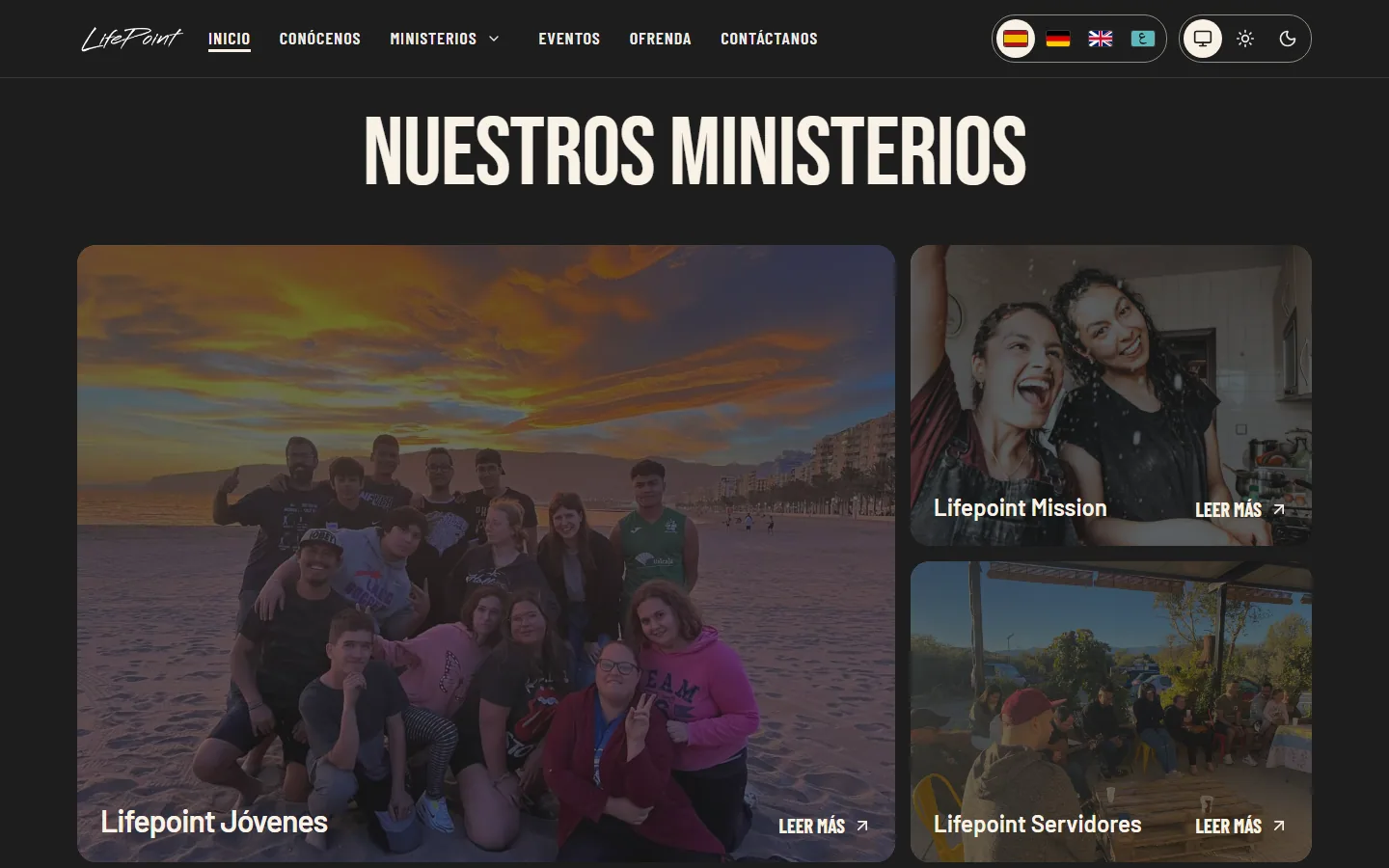
The ministries went from a carousel to a mosaic, with the youth ministry as the large tile. Hover and keyboard focus are animated with GSAP, guarded by a media query so nothing moves for reduced motion or on touch devices. The focus animation only runs for keyboard focus, not on click.
Giving, with a card you can copy
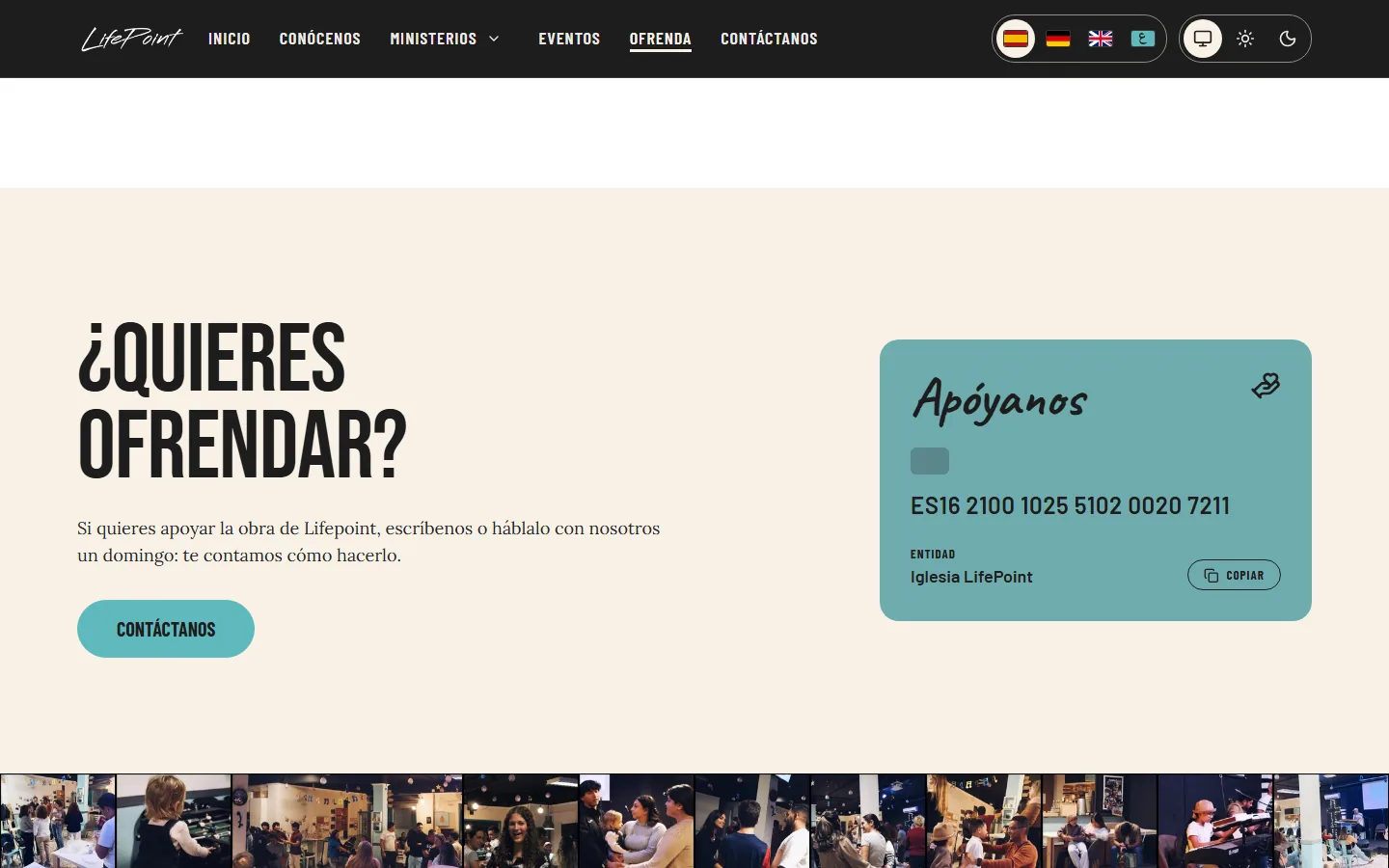
The giving page ends in a bank-card-shaped block with the church's account and a copy button. The copy button only appears when the browser allows clipboard access, and it copies the number without spaces, which banks accept more reliably.
One black, a fallback that does not break the layout
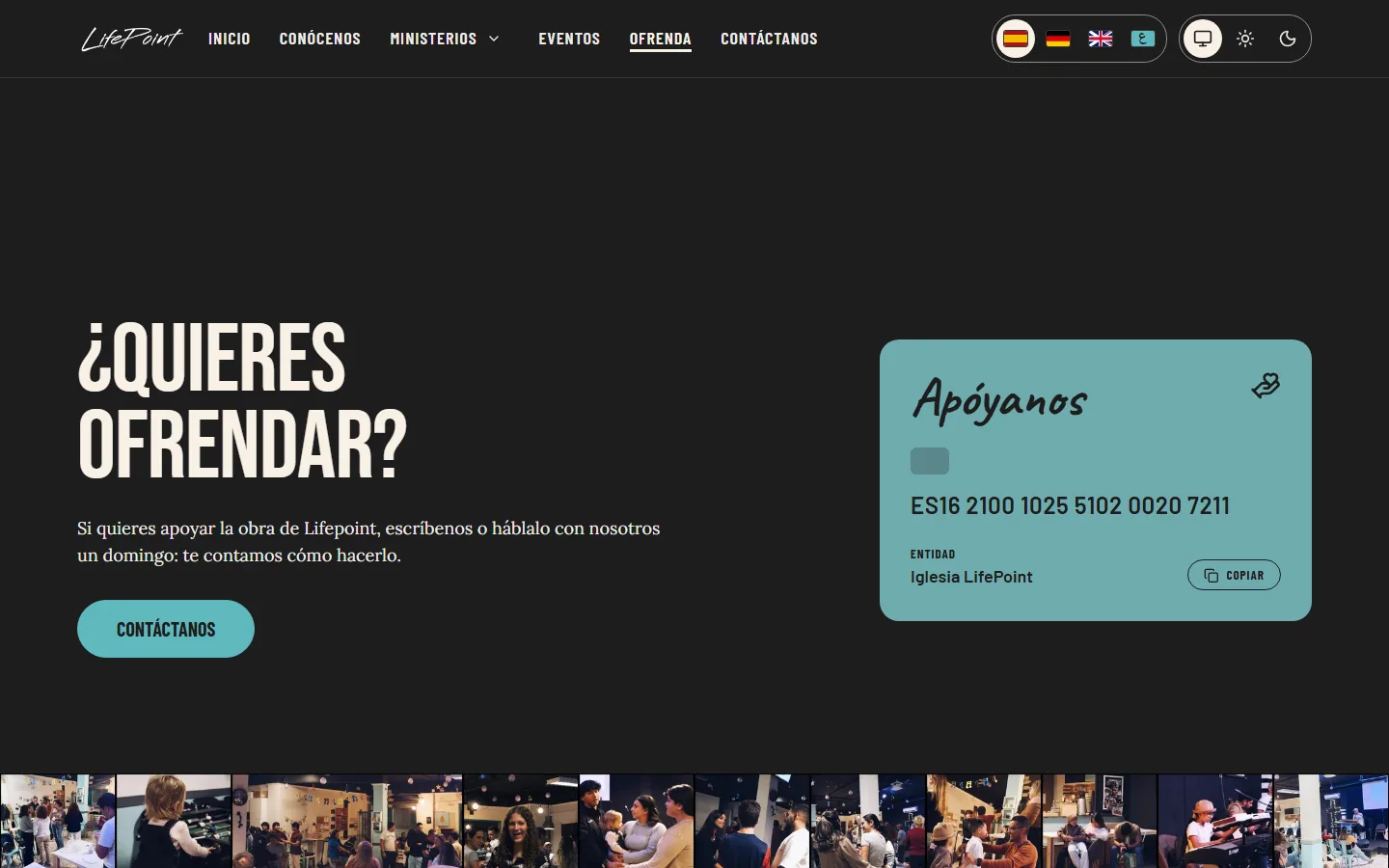
In dark mode the sections used to land on three slightly different blacks, which looked like three different pages. They now share one. The handwritten font used for taglines also got a safety net: if it cannot load, the page falls back to a system italic serif resized to the same footprint, which I measured against the font itself, instead of dropping to a sans-serif at the wrong size.
6. Lifepoint Console
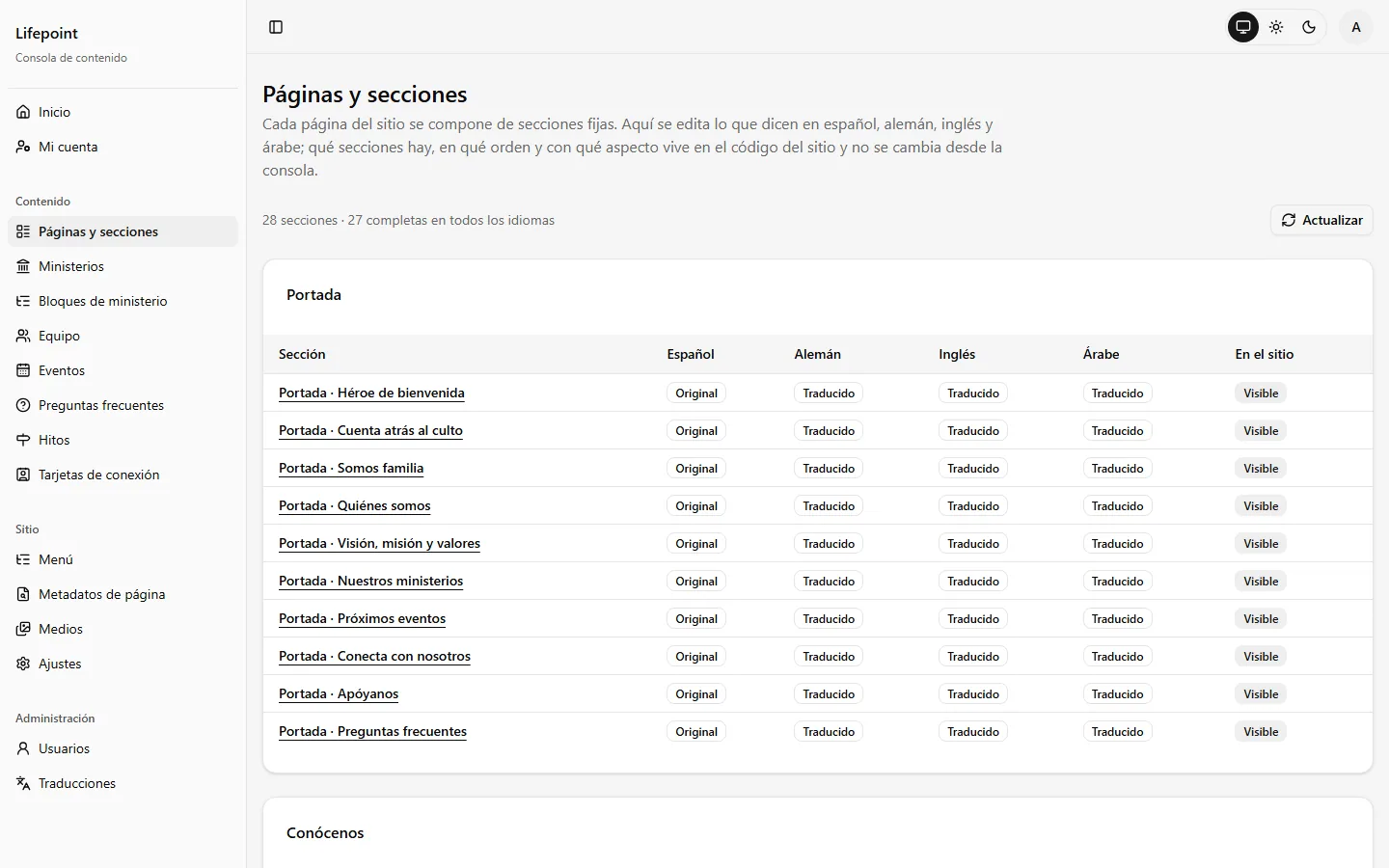
The console is where the team works: a Next.js app with sign-in and four roles (admin, editor, translator and viewer). Everything the site says is listed as a section, with its state in each of the four languages.
Sections by page: Twenty-eight sections grouped by page, each showing whether it is original, translated or pending in every language, and whether it is visible on the site.
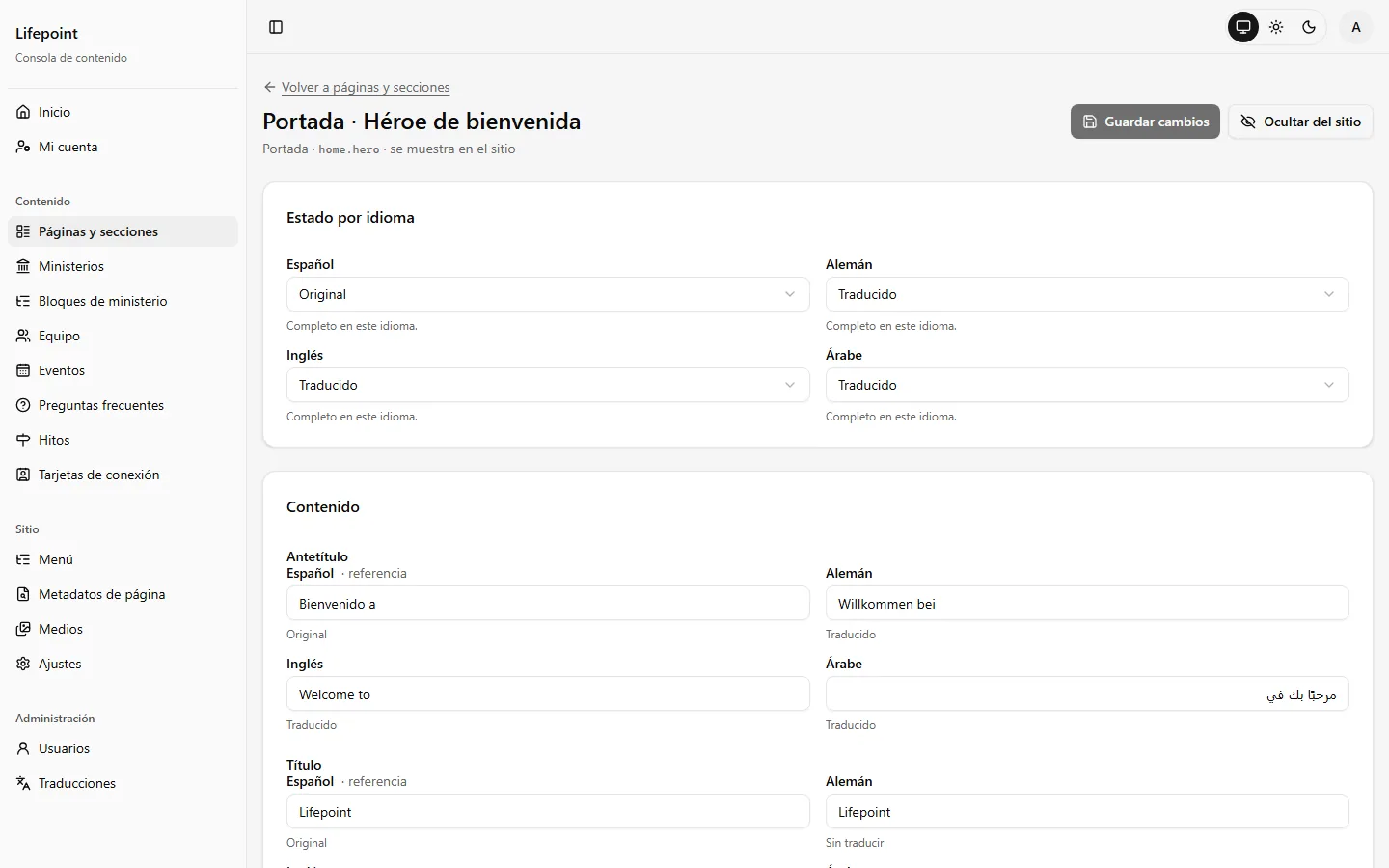
Side-by-side editing: The Spanish original sits next to the German, English and Arabic versions of every field, with the Arabic field set right to left.
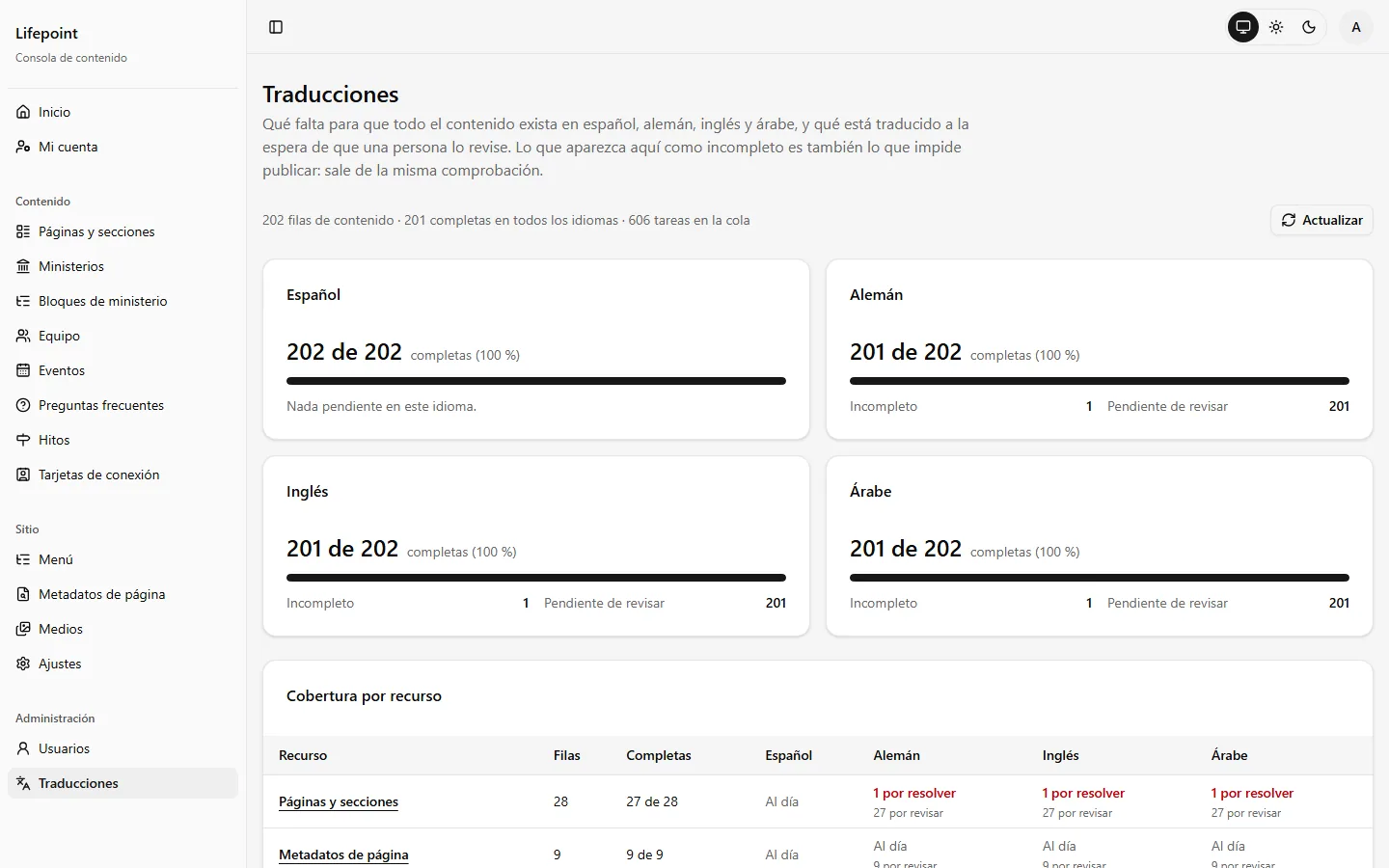
Translation coverage: A dashboard that counts what is complete and what is waiting for review, per language and per resource. What shows as incomplete there is also what blocks publishing.
Images with alt text: Every image carries its alternative text in all four languages. Only decorative images can go without it.
7. Lifepoint API
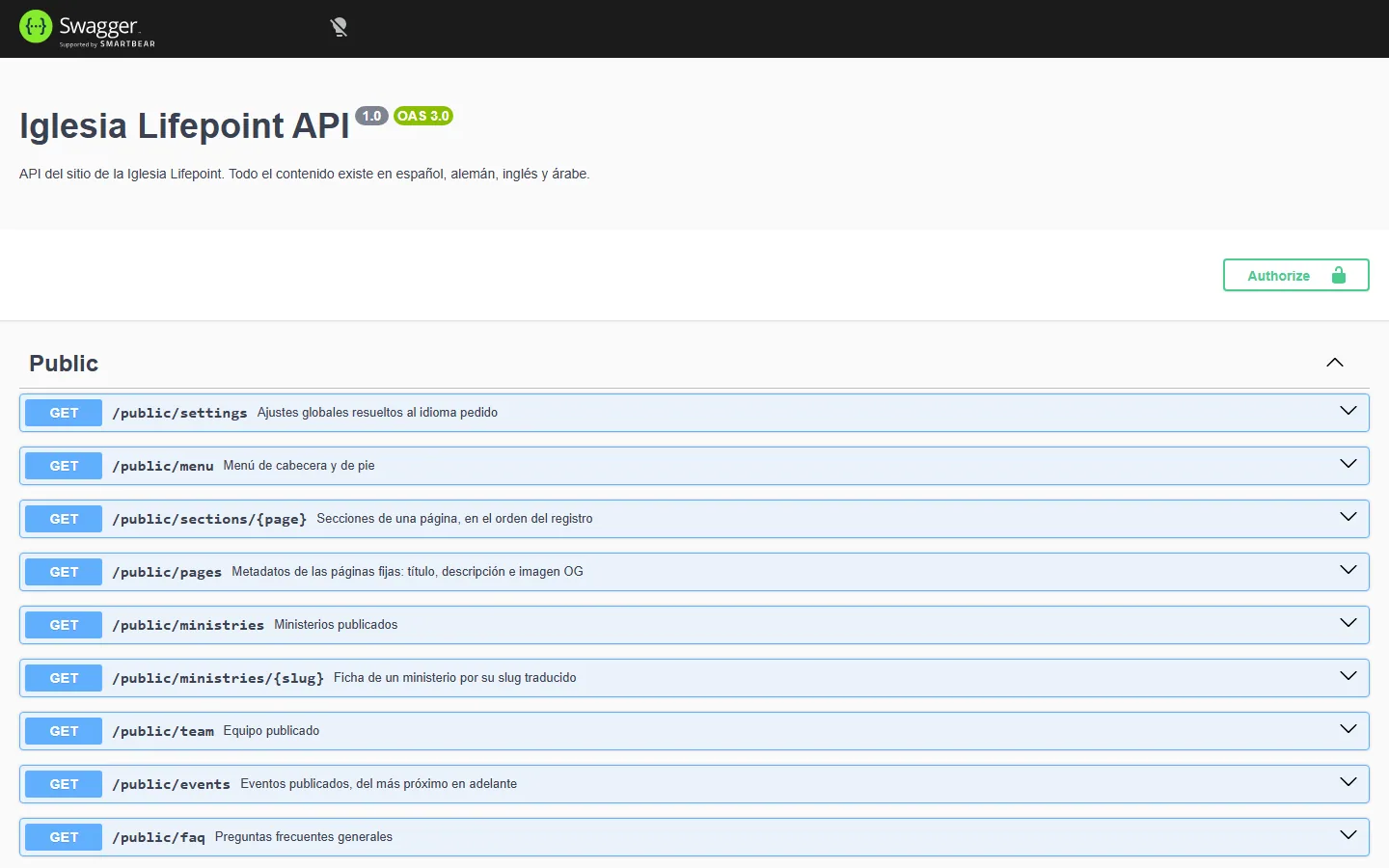
A NestJS 11 service over PostgreSQL with Prisma. It exposes a public API for the website and an admin API for the console, both documented with Swagger.
A registry of sections: Each section is declared once, with a strict schema: its fields, which ones are shared across languages and which page it belongs to. The console builds its forms from it and the API rejects anything else.
Migrations as history: Content changes that have to reach production, such as a translation or the removal of a block, are written as reviewed SQL migrations and applied by the deploy.
Images: Uploads are served back as AVIF and WebP at several widths, and the website picks the right one.
Cache that follows edits: When an editor saves, the API tells the website to revalidate the affected pages instead of waiting for a timer.
8. Accessibility and Performance
Accessibility was treated as an engineering constraint, and the site carries a published accessibility statement. It is a self-assessment made by the team that built it, not an independent audit, and it says so, including the one known gap.
Measured against WCAG 2.2: Every page in every language, in light and dark, at 320 and 1280 pixels, plus a walkthrough with the NVDA screen reader.
Zoom-friendly layout: Breakpoints and spacing are in rem, and the type scale is capped so text can still reach 200% zoom.
Right to left: Arabic uses logical CSS properties, its own fonts and its own spacing, rather than a mirrored copy of the Latin layout.
Motion on request: Every animation, from the hero montage to the rolling hours, respects reduced motion.
Security headers: A content security policy with a per-request nonce, and fonts and images served from the site itself.
9. Delivery
A single script deploys from the main branch. It validates the monorepo, builds a minimal Docker image per app, tests each image before uploading it, and ships it over SSH without a registry. For the API it takes a database dump first, runs migrations in a disposable container and only then swaps the container; if the new one does not answer, the previous one comes back. Versions are produced from changesets.
10. Key Decisions
Fixed sections instead of a page builder
A page builder gives editors freedom the design cannot afford. A registry gives them the words, the images and visibility, and keeps spacing, type and layout in code, where they can be reviewed and tested.
Fonts and images from the same origin
Self-hosting avoids third-party requests and keeps the content security policy strict. The cost is paying attention to what happens when a font is blocked, which is why the fallback is measured.
Archive, do not delete
People who leave the team page are archived rather than removed, because a ministry can still list them as its leader. It keeps the history without keeping them on the public page.
Where an image lives
Photos the church replaces often live in the console. The hero montage lives in the code instead, optimized at build time, because it is part of the design and has to be fast. It is a trade-off, and the next step is to decide whether the team should manage it.
11. Outcome
4
languages, one in RTL
3
apps and a shared client
28
editable sections
202
content rows tracked
12
database migrations
~32k
lines of TypeScript
The numbers are for the whole platform, which was a team effort.
12. Team and Role
Version 1 (2024): Design and development of the WordPress site, alone: information architecture, theme customization, accessibility, content and the Docker and EC2 setup.
Version 2 (2026), with Oswaldo: Oswaldo, the repository owner, built the platform: the API, the console and the foundations of the public site.
My part in Version 2: Design direction and the October 2026 redesign of the public site: the hero montage, the rolling hours, the ministries mosaic, the giving page, the dark mode, the page headers and the font fallback. I also keep the church's content up to date from the console.
Key Takeaways
- A theme is a good start: WordPress let us launch quickly and learn what the church actually needed. The rebuild was possible because Version 1 had already answered that.
- Constraints make editing safe: A strict registry meant a new language or a new section could not break the layout.
- Fallbacks are part of the design: A site that looks right only when everything loads is not finished.
Next steps: Move the hero montage into the console if the team wants to manage it, and add an automated accessibility check to the deploy.