
Siegfried satellite · 3 of 5
Themis - Compliance Findings Viewer
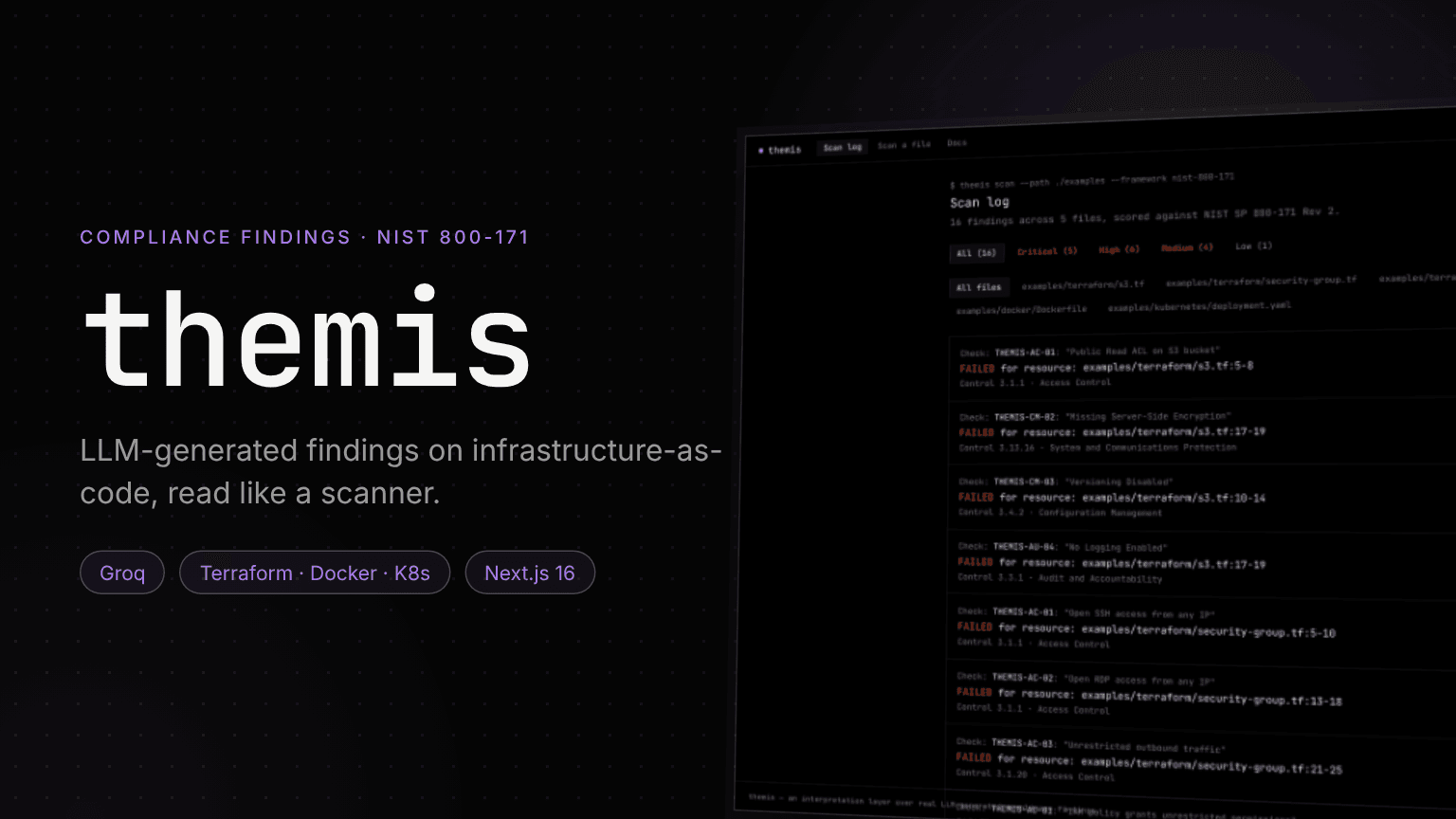
An LLM reads infrastructure-as-code like an auditor and cites real NIST SP 800-171 controls. Themis presents what it finds the way security engineers already read scanners, and is upfront about not being one.
Role
Design & Development
Stack
Next.js, Groq, TypeScript
Framework
NIST SP 800-171 Rev 2
Identity
Violet · JetBrains Mono
1. Overview
Named for the Greek goddess of law, whose scales are a classic symbol of audit, Themis weighs infrastructure files against compliance controls. It is a satellite of Siegfried.
It is not a static-analysis engine: there is no parser, no policy-as-code rule set and no access to real cloud accounts, unlike Checkov or tfsec. It is the interface layer over what a language model flags, held to the same honesty rule as the other satellites.
⚠️ The Problem
Teams preparing for a CMMC assessment need to know which lines of their Terraform, Dockerfiles and manifests break which control, in language they can act on. LLM output can help, but free-form text with invented control numbers is worse than nothing.
✓ The Solution
Constrain the model, then present it like a tool people trust. The prompt carries a list of real controls, a severity rubric and a strict JSON schema; the interface borrows Checkov's scan log and Wiz's finding cards.
2. The Pipeline
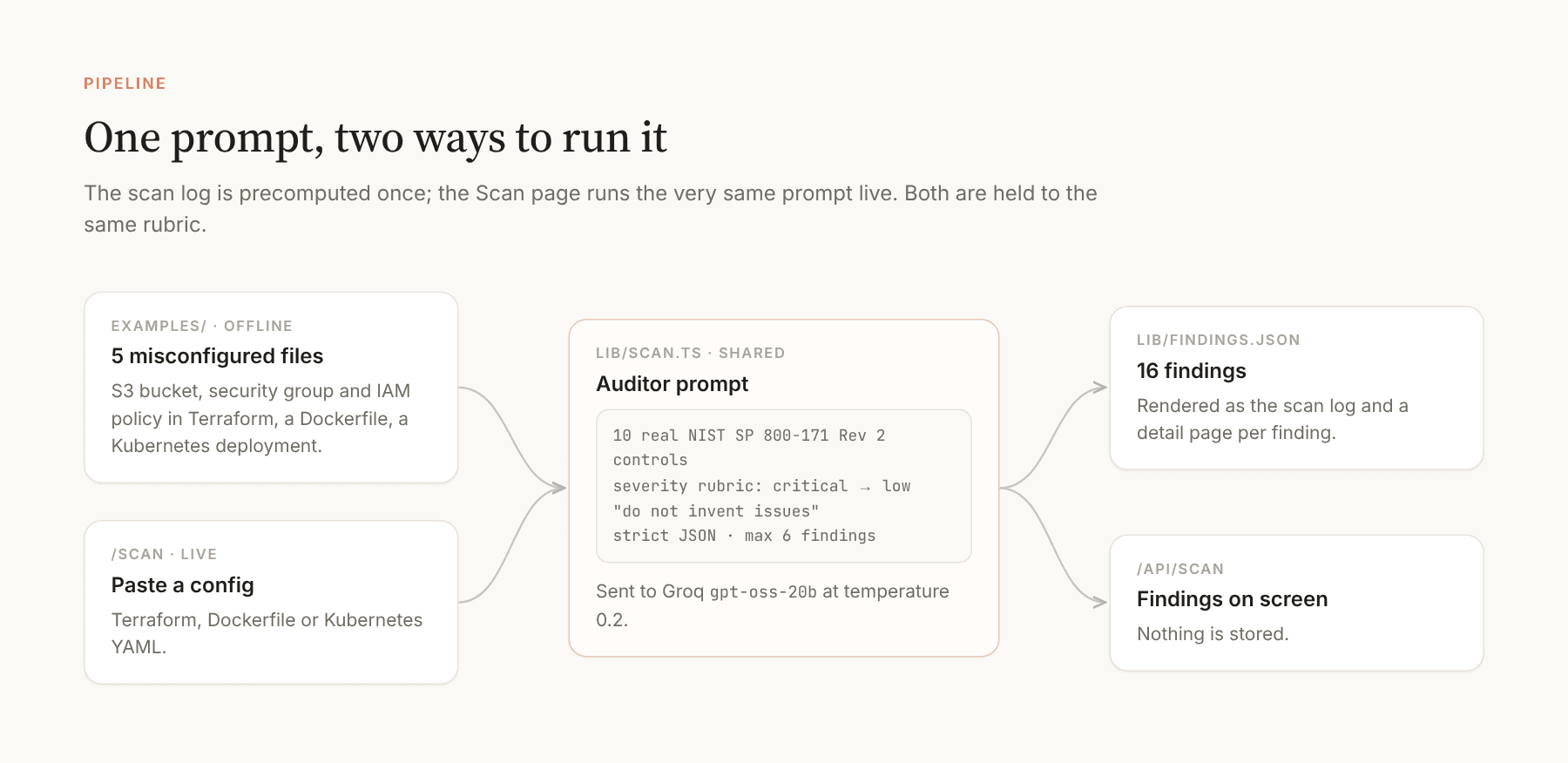
Five deliberately misconfigured files cover the usual mistakes: a public S3 bucket without encryption or logging, SSH and RDP open to the world, a wildcard IAM policy, secrets baked into a Dockerfile, and a privileged Kubernetes pod running as root. A script sent each one to Groq once and committed the result; the Scan page runs the same shared prompt live.
Grounding the model
The system prompt lists ten real NIST SP 800-171 Rev 2 controls with their families and asks for the single best fit, so findings cite numbers like 3.1.20 or 3.13.16 instead of plausible inventions. Severity follows an explicit rubric, from a direct path to exposure (critical) to hygiene (low), and the model is told not to invent issues and to return an empty list when a file is clean.
3. The Scan Log
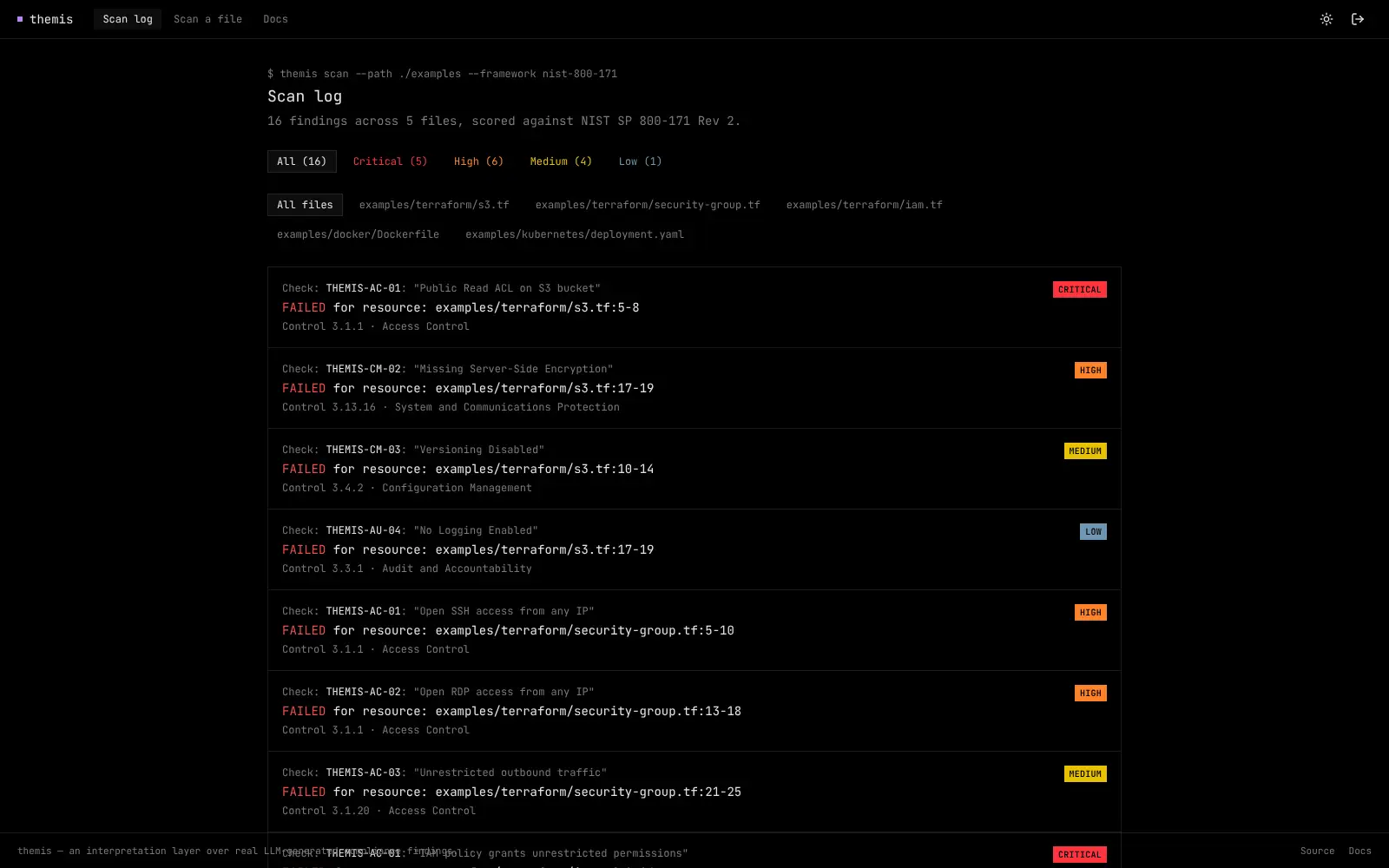
Sixteen findings across five files, in Checkov's format: the check id and title, the failed resource with its file and lines, and the control behind it. The list filters by severity and by file.
4. Finding Detail
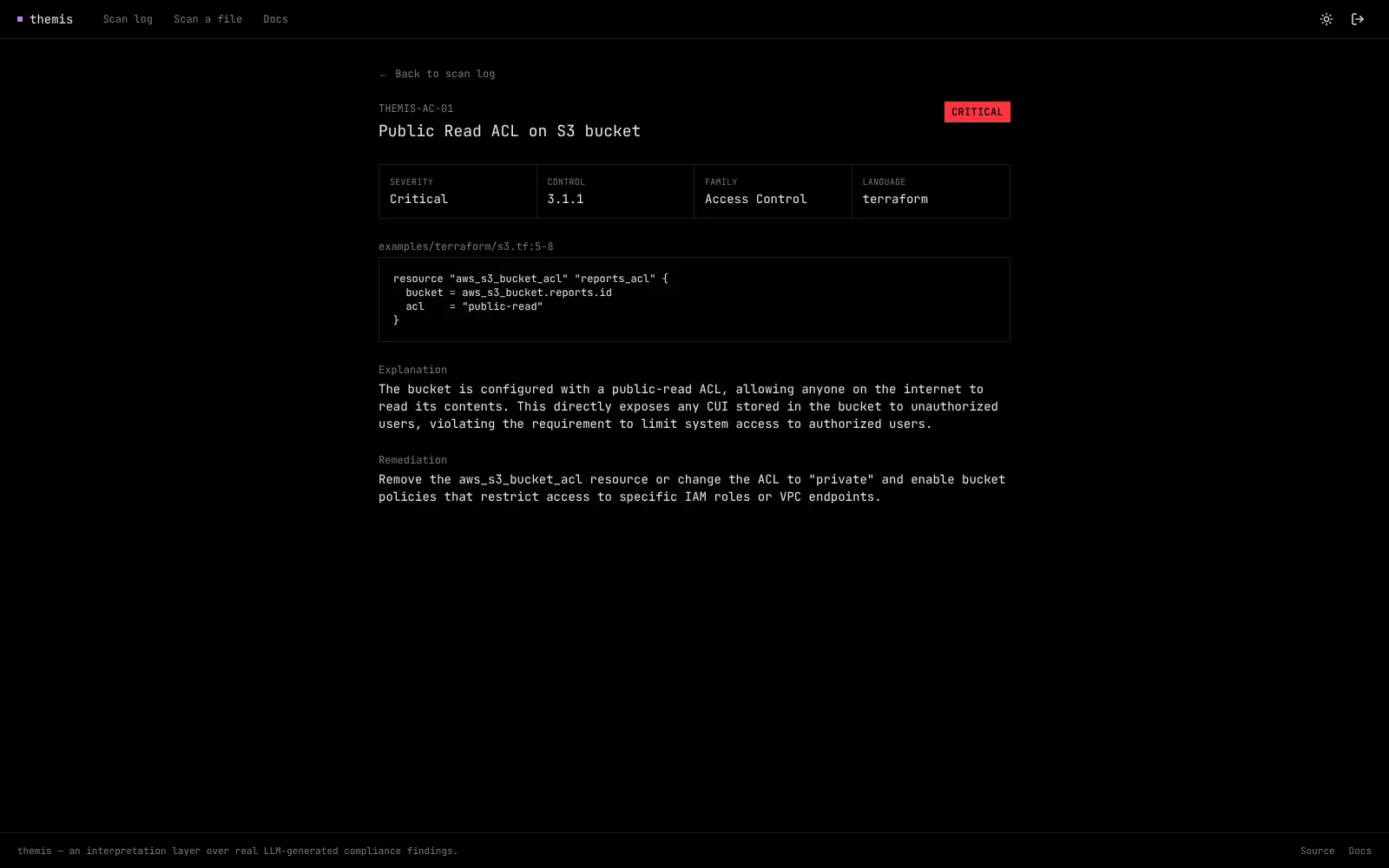
Each finding opens a page modelled on Wiz's cards: a metadata grid with severity, control, family and language, the offending snippet with its line range, an explanation written for someone preparing for an assessment, and a concrete remediation.
5. Live Scan
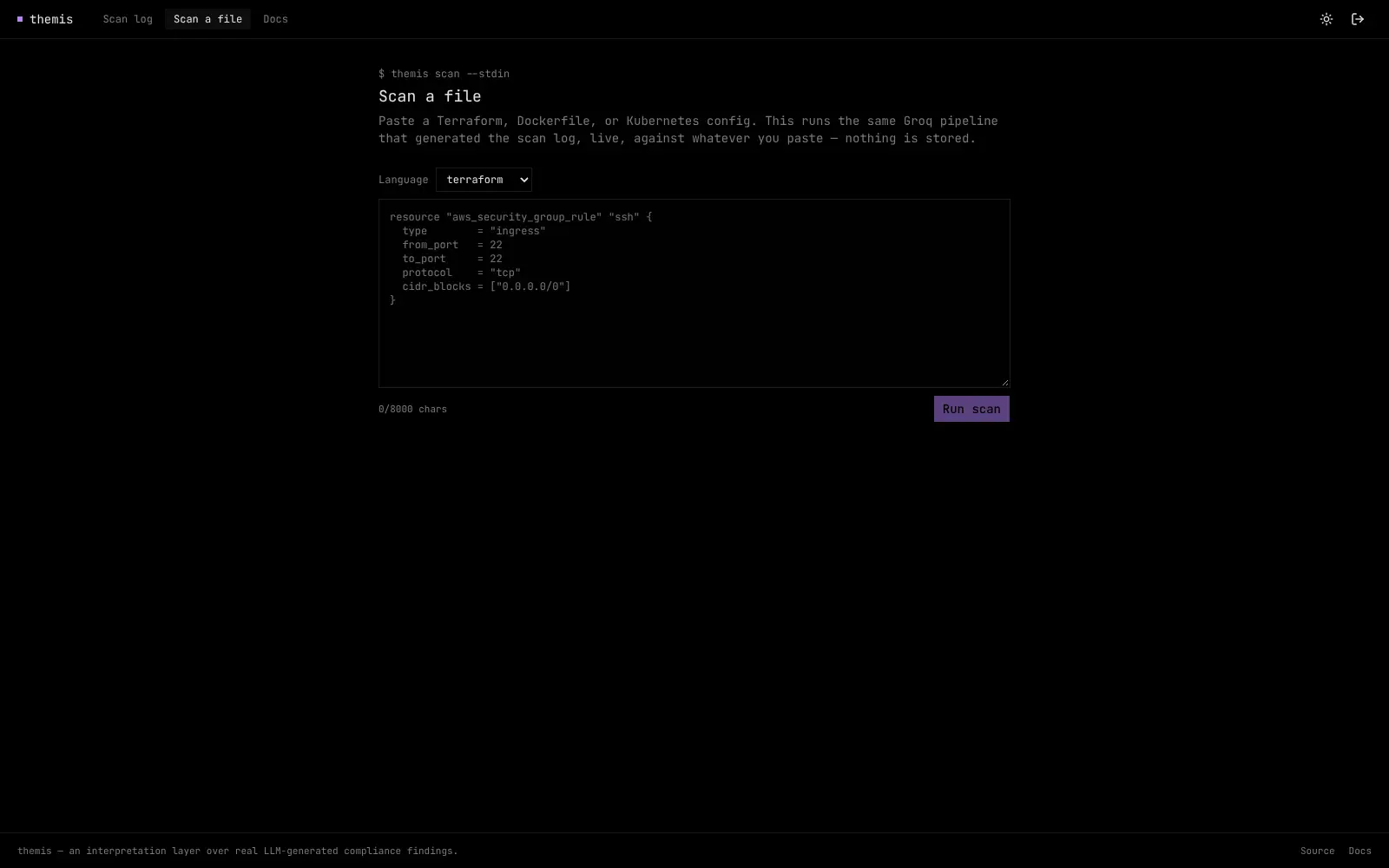
Paste a Terraform file, Dockerfile or Kubernetes manifest, pick the language, and the same pipeline returns findings in a few seconds. Nothing is stored.
6. Identity
A single monospace typeface everywhere (JetBrains Mono, with no separate UI font, because this is a terminal), zero corner radius and a violet accent for functional signals only. Severity colours are the one exception to the monochrome rule, because in this domain they are data, not decoration.
| Severity | Meaning in the rubric | Findings |
|---|---|---|
| Critical | Direct exposure or a full compromise path | 5 |
| High | A gap an assessor would flag immediately | 6 |
| Medium | A real gap with a smaller blast radius | 4 |
| Low | Hygiene and best practice | 1 |
7. Outcome
5
example files
16
findings
10
real controls in the prompt
1
prompt, offline and live
Key Takeaways
- Constrain before you display: A list of real controls and a schema did more for credibility than any interface work.
- Borrow the grammar of trusted tools: A scan log and finding cards made LLM output feel familiar to the people who read scanners every day.
- Say what it is not: The docs page explains what a real assessment involves that this does not attempt.
Next steps: Run a deterministic policy engine next to the model and show where they agree and where they disagree.