
Prototype · v0.9.0 · November 2026
Learn by Doing - A Claude Code Plugin
Most of your code will be written by AI. What you need is the ability to read it, review it and decide. This plugin turns every commit Claude makes into a few short lessons, and a study space that remembers what you know.
Role
Design & Development
Stack
Node.js, MCP, Claude Artifacts
Type
Claude Code plugin
Language
Spanish interface, for now
1. Overview
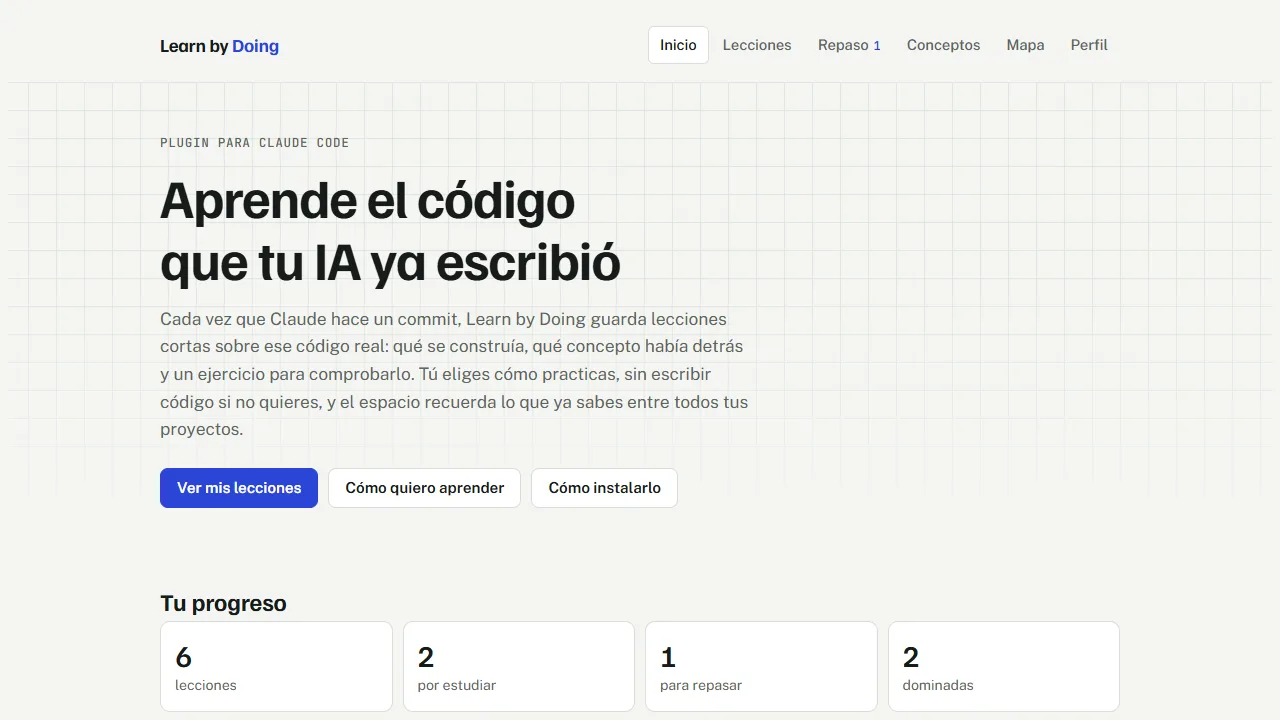
A tutor that learns from the code you actually shipped. People who learn to code by working with AI end up with a repository they only half understand. Learn by Doing closes that gap without getting in the way: every time Claude makes a git commit in a repo you turned on, the plugin writes one to three lessons about the code that was really written.
The lessons are plain Markdown notes. You study them later, in your own time, in a study space that remembers what you know across all your projects. The exercises train reading and judgment, so you never have to write code if you do not want to. Everything in the screenshots below is a demo with lessons about this portfolio's own code.
⚠️ The Problem
Learning from AI-written code is easy to postpone. The explanation scrolls away in a chat, the commit is a patch nobody re-reads, and a tutorial teaches an example project instead of yours.
✓ The Solution
Study the code you already have. Lessons come from your own commits, wait until you open the study space, and ask you to predict before they explain.
2. How It Works
Four steps: work as usual, the plugin writes lessons, you run /study, and you study. A hook watches for commits, a skill writes the lessons, a small MCP server saves them as notes, and a command syncs them to the study space.
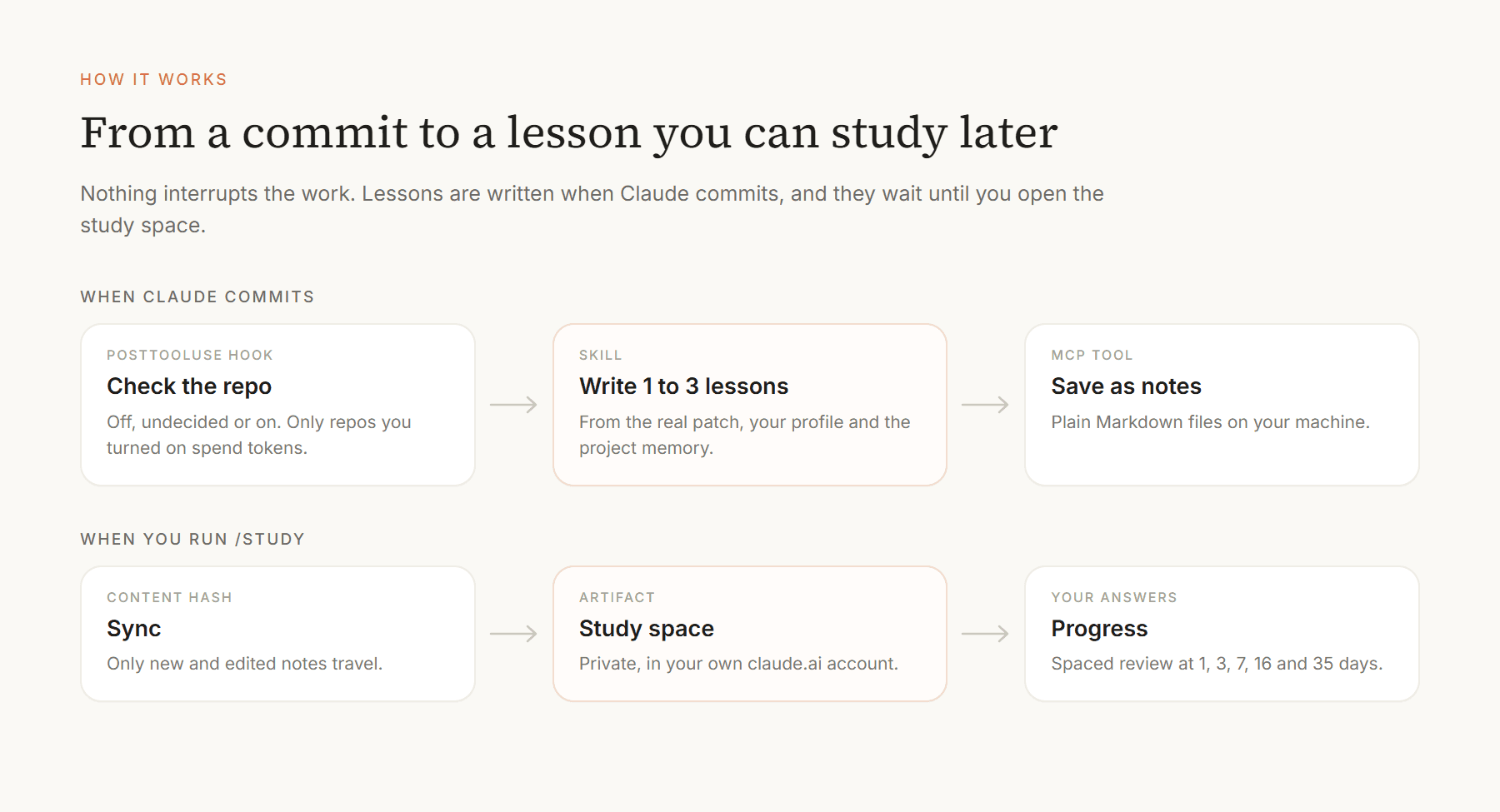
Per-repo consent: The first time in each repo, Claude asks once whether to learn from it and tells you the kind of project it detected. If the answer is no, the plugin stays silent there and spends no tokens.
Large commits are split: A big commit is divided by area and only the most valuable lessons are kept: one to three, up to four for a large one.
Works on every system: The hook and scripts are plain Node with no packages to install, and there are no shell scripts, so it runs the same on Windows, macOS and Linux.
3. A Lesson
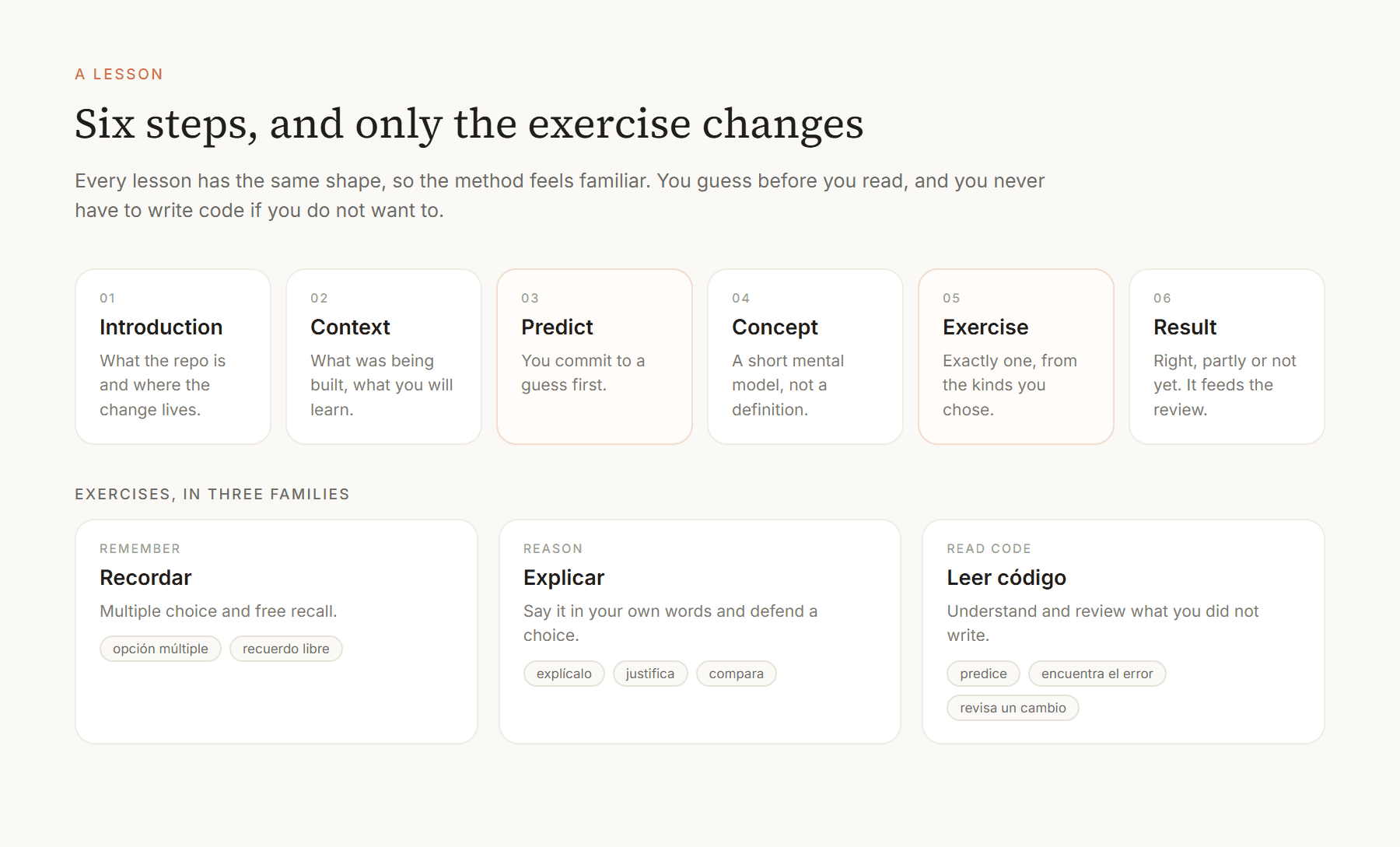
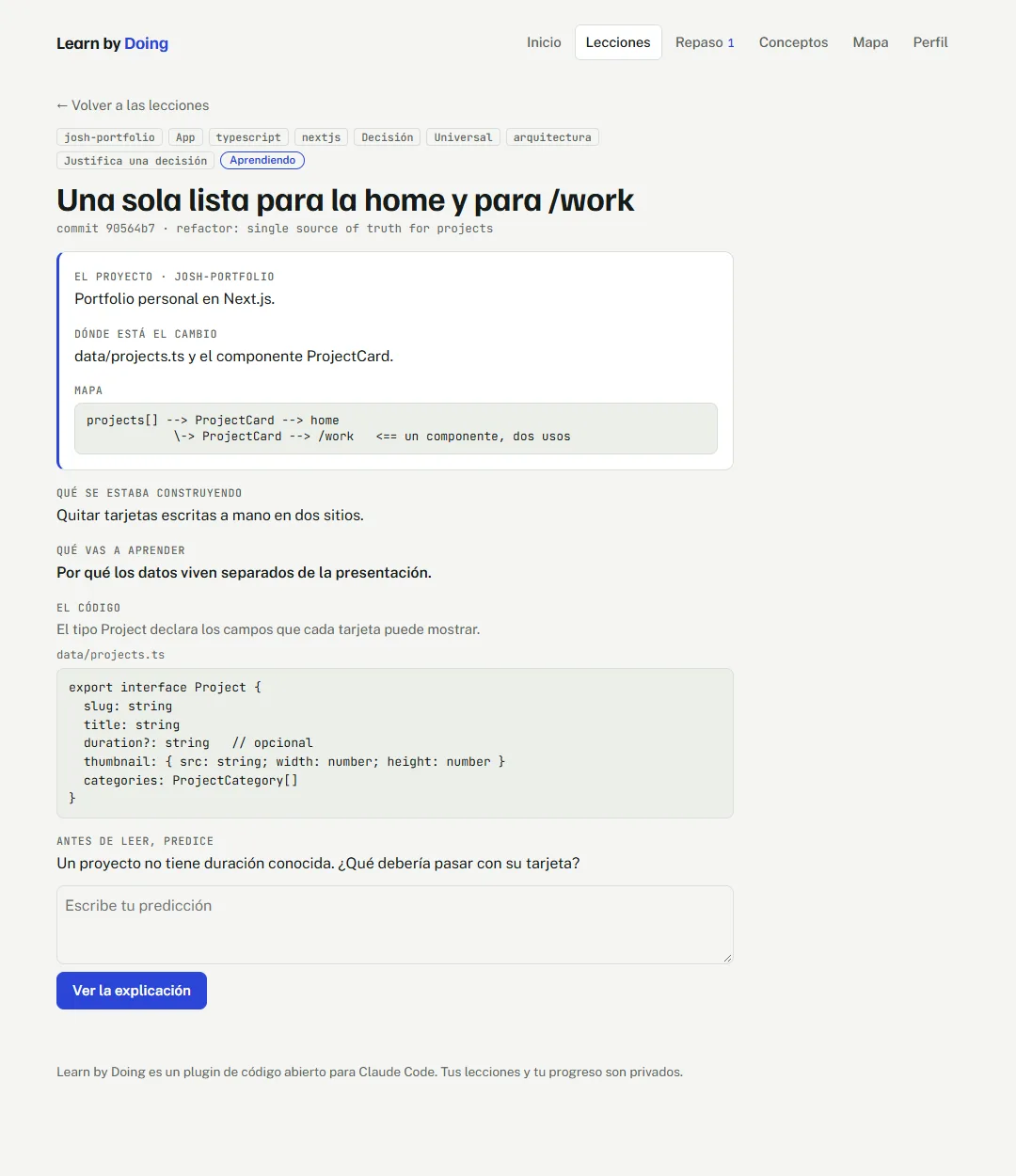
Every lesson has the same shape and only the exercise changes, so the method always feels familiar. You commit to a guess before reading the explanation, and the lesson keeps a short "what actually happens" to compare against.
You choose how to practise
The exercises are grouped by what they train, and an optional three-minute diagnostic on twelve topics recommends where to start. Topics you already master are skipped, and rusty ones are taught as a short refresher. Open answers are graded against key points by Claude, with your consent. If that is unavailable you compare with a model answer and rate yourself.
4. The Study Space
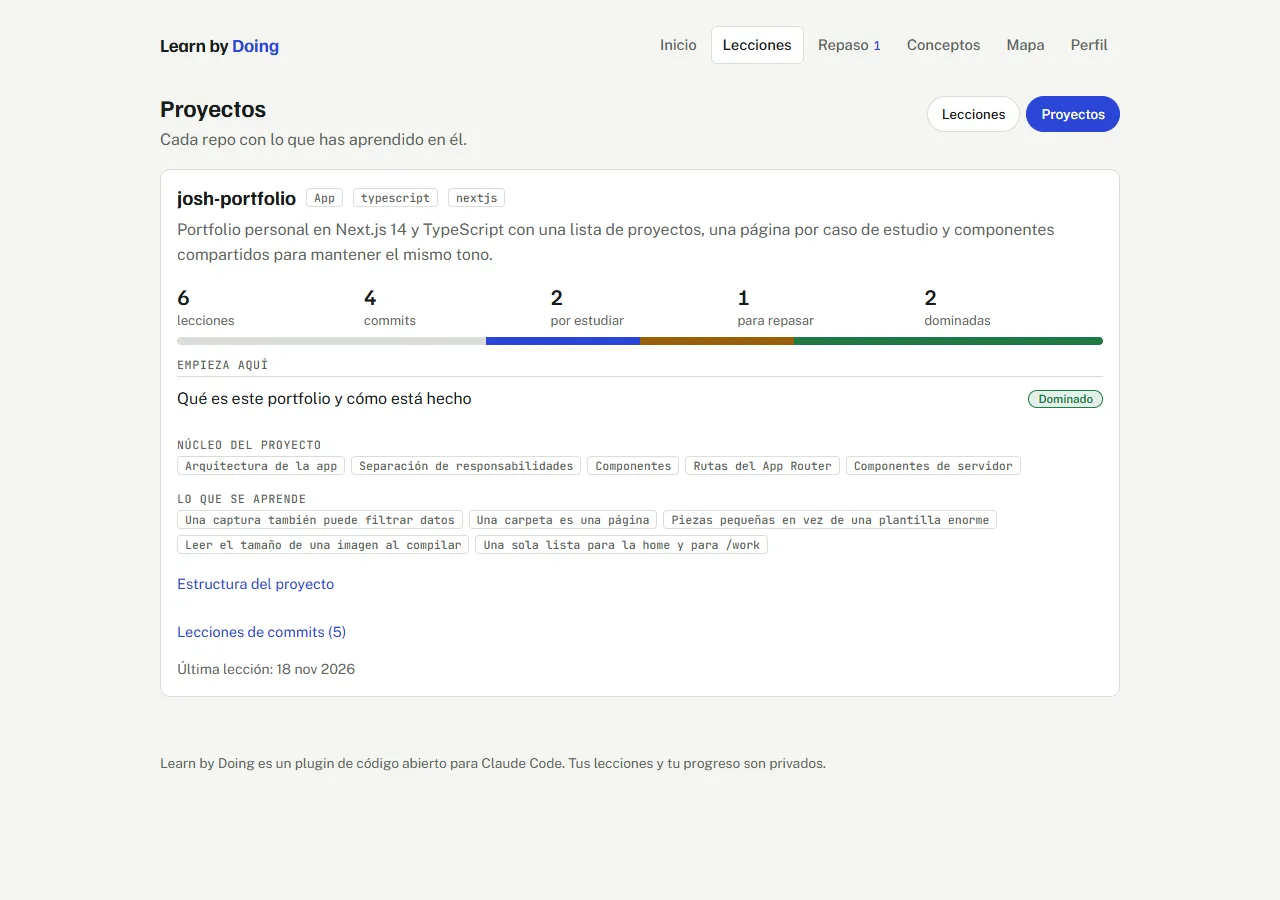
The study space is a single-page app published as a private Artifact in your own claude.ai account. It has six sections: the home with a dashboard, the lessons, spaced review, the concepts you have seen, the map, and your profile. Your answers and progress are saved live.
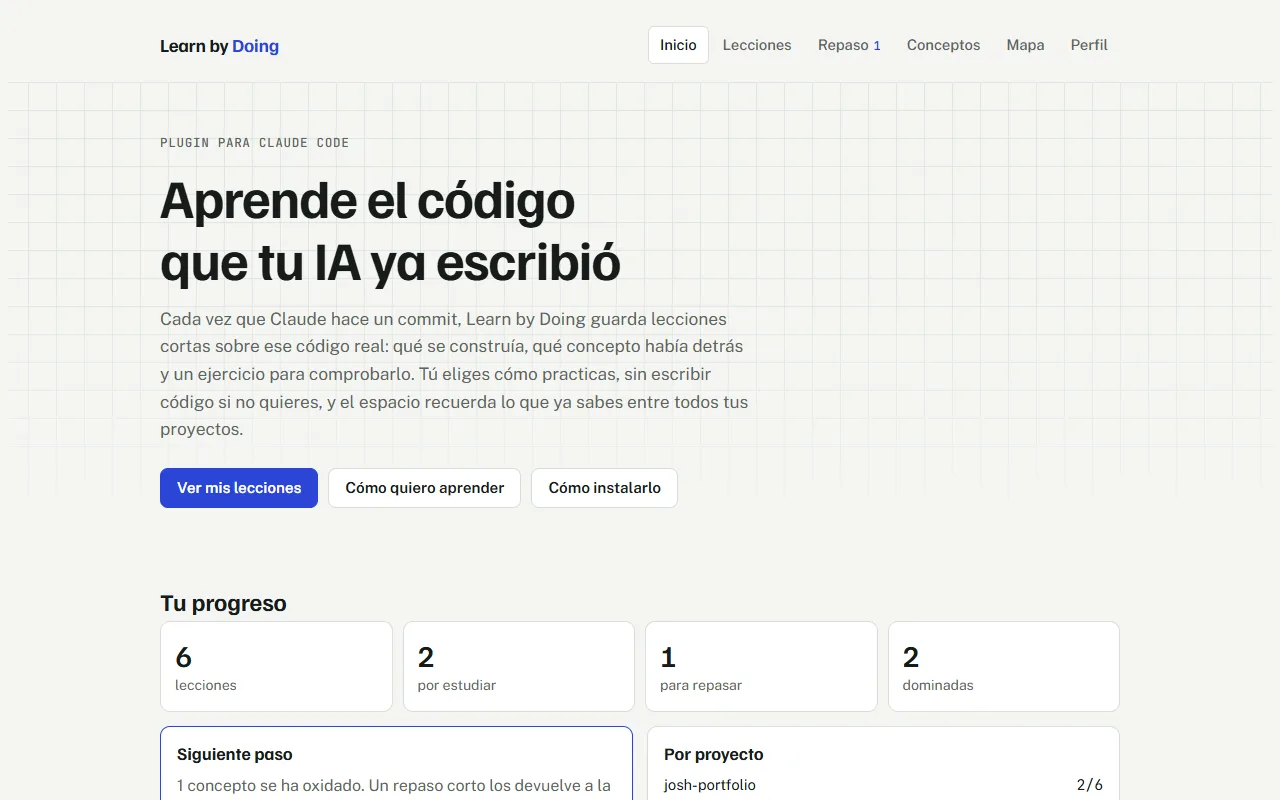
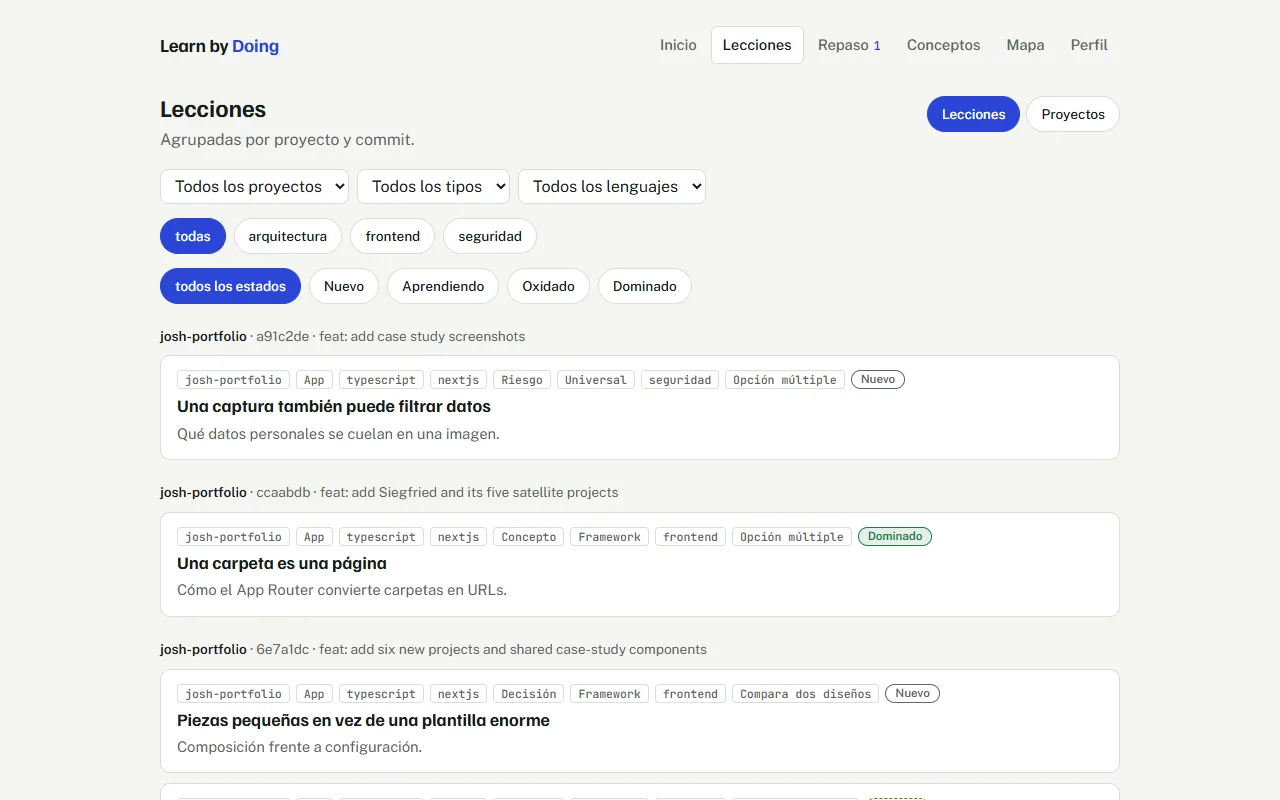
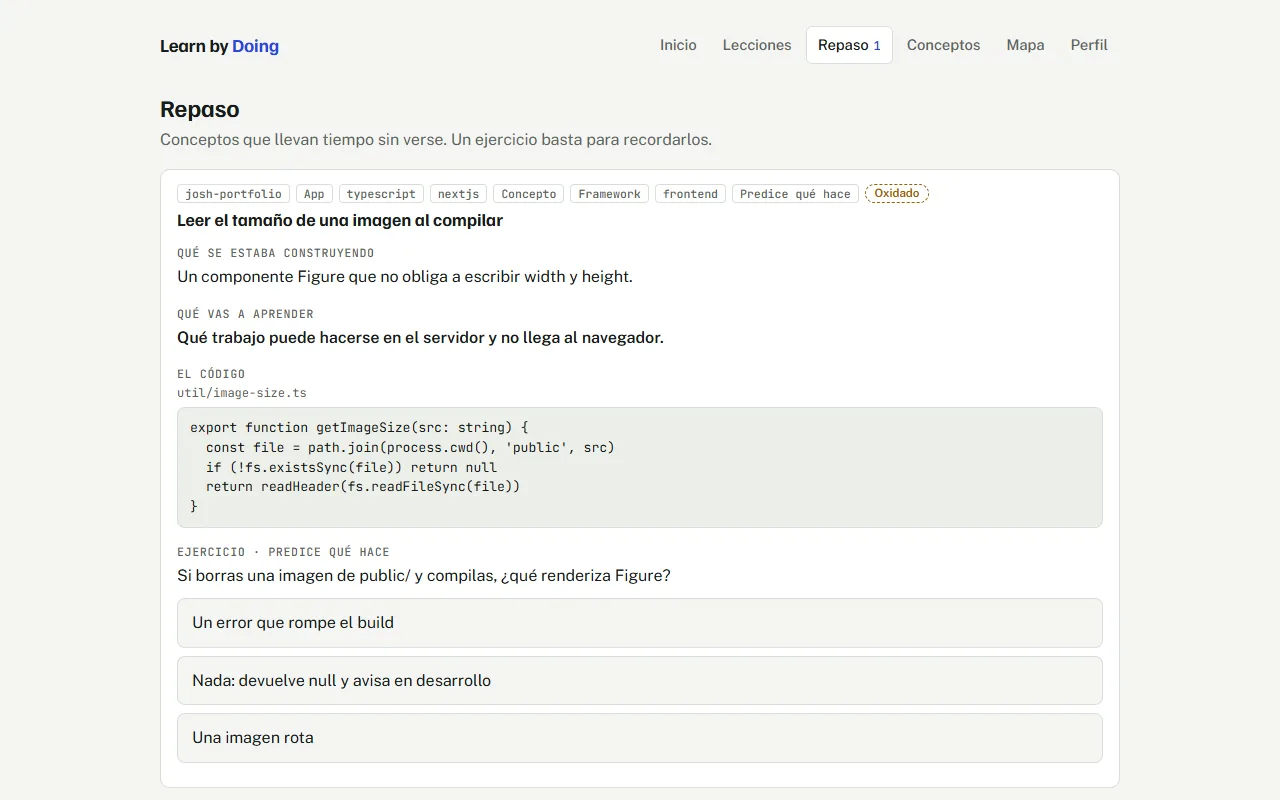
Review follows intervals of 1, 3, 7, 16 and 35 days. A concept you got wrong goes back to the start, a partly right one stays where it is, and each concept has one state shared by all your projects: new, learning, rusty or mastered.
5. Project Memory
Lessons written one commit at a time can feel random, because the hook only sees a patch and cannot tell what is central to the project. So the plugin keeps a short memory of each repo you turn on.
A memory: What the project is, where things live, its main flow, and the three to eight concepts that matter most in it.
Base lessons: Four to six lessons about the project as a whole, such as what it is, how it is laid out and the main flow. They appear first on the project's card, as the place to start.
Every later commit uses it: The summary places each lesson in the project, the core concepts are favoured, and lessons already taught in that repo are listed so they are not repeated.
Variety: The hook also reports how recent lessons were spread over exercises and types, so the plugin stops defaulting to the same one.
6. Kinds of Project
What you need to learn depends on what you are building. A classic app needs the architecture inside its framework, design patterns and infrastructure. A plugin or an MCP server needs the contract with the other side, and the language weighs less. So every repo gets a kind, and every lesson gets tags for its languages and frameworks.
| Kind | What the lessons favour |
|---|---|
| app | Architecture, patterns and infrastructure inside its framework |
| plugin, mcp | The contract with the host, hooks, schemas and error handling |
| integracion | The other system's contract, authentication, retries and data mapping |
| libreria, script, infraestructura | Public API and versioning, exit codes and entry points, environments and secrets |
The kind is detected, not guessed: a script reads manifests such as package.json, pyproject.toml or .claude-plugin/ and the file extensions, so Node, nodejs and Node.js never become three tags. In a monorepo it works per package. You confirm the kind once, when you turn the repo on.
7. The Map
Lessons answer "what did I learn in this commit". The map answers "where am I, and what is next". It is built on a catalog of 85 concepts in 15 branches, with the prerequisites between them, and each concept is in one of four states: discovered by a lesson, known from the diagnostic, on the frontier because you have everything it needs, or unexplored.
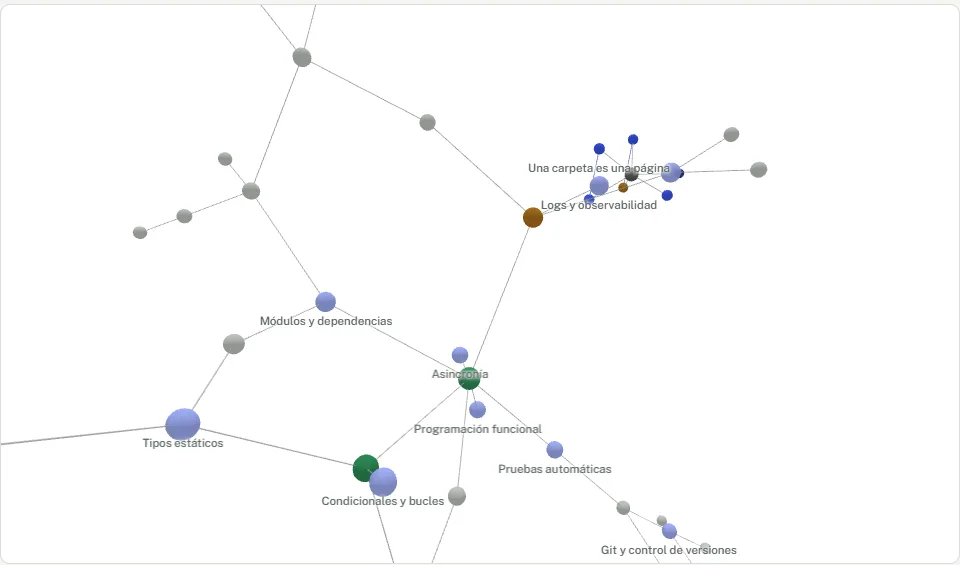
Three layers: Prerequisites between concepts, lessons related to each other, and the repo each lesson was taught in. A repo pulls its concepts into a cluster, so you can see what each project taught you.
Hover and select: The rest dims and the node's neighbours stay lit with their names, and more names appear as you zoom in.
Accessible fallback: A list view shows the same concepts as text grouped by state. It is the way in for keyboard and screen-reader users, and what you get when the browser cannot do WebGL.
8. Privacy and Limits
Local first: Notes are generated and stored on your machine. Only /study uploads anything, and only to your own private Artifact.
Only repos you said yes to: If a repo belongs to an employer or client, the README says to check that it may upload its code to a service of your own before turning learning on.
No secrets in lessons: The skill is told to include only the few lines that illustrate a concept, never whole files, secrets or personal data. That is an instruction to a model, so the README says to skim notes before sharing the Artifact.
Honest about what is untested: It was tested end to end in headless mode. Nobody has used it interactively yet, so permission prompts and the question dialog are untested, and the README says so.
Sync is manual: A published page could not reach the plugin's local MCP server in the desktop app, so new lessons reach the study space when you run /study. A reminder line after each commit is the chosen compromise.
9. Key Decisions
Markdown notes as the source of truth
Lessons are files you can open in Obsidian, search with grep and version with git, and your edits are synced back by content hash. The study space is built from the notes, and only your progress lives there.
Predict before you read
Committing to a guess first is the cheapest way to turn reading into learning, and it makes the explanation answer a question you already have.
Give the hook context instead of smarts
A hook only sees a patch. Rather than make it clever, the plugin feeds it what matters: your profile, the repo's kind, a memory of the project and the concepts that fit.
Consent per repo, not per plugin
Learning from a repository sends its code through a model. Asking once in each repo, and staying silent until you say yes, respects both your tokens and your clients.
10. Outcome
19
commits in two days
5
commands
85
catalog concepts, 15 branches
0
packages to install
| Command | What it does |
|---|---|
| /study | Syncs new and edited notes, then opens the study space |
| /learn-repo | Turns learning on or off for the current repo |
| /learn-setup | Chooses how you practise, without opening the study space |
| /learn-from-history | Turns the most instructive past commits into lessons |
| /learn-project | Builds a memory of the project and a few base lessons |
Key Takeaways
- Learning needs context, not volume: The lessons improved when the hook knew what the project was, not when it was given more code.
- Say what is untested: A prototype that lists its own limits earns more trust than one that claims to work everywhere.
- Files outlive tools: Plain Markdown notes keep their value if the study space changes or disappears.
Next steps: More catalog branches such as Go, Rust and Vue, an import button so notes can reach the study space without Claude Code, and an English interface.