
Accessibility as an engineering constraint, not a checklist
WCAG 2.2 decisions on a church website in four languages, including Arabic: contrast, focus, reduced motion, right-to-left layout, fallback fonts and forced colors.
Author
Josh D. Rubio
Published
Reading time
7 min read
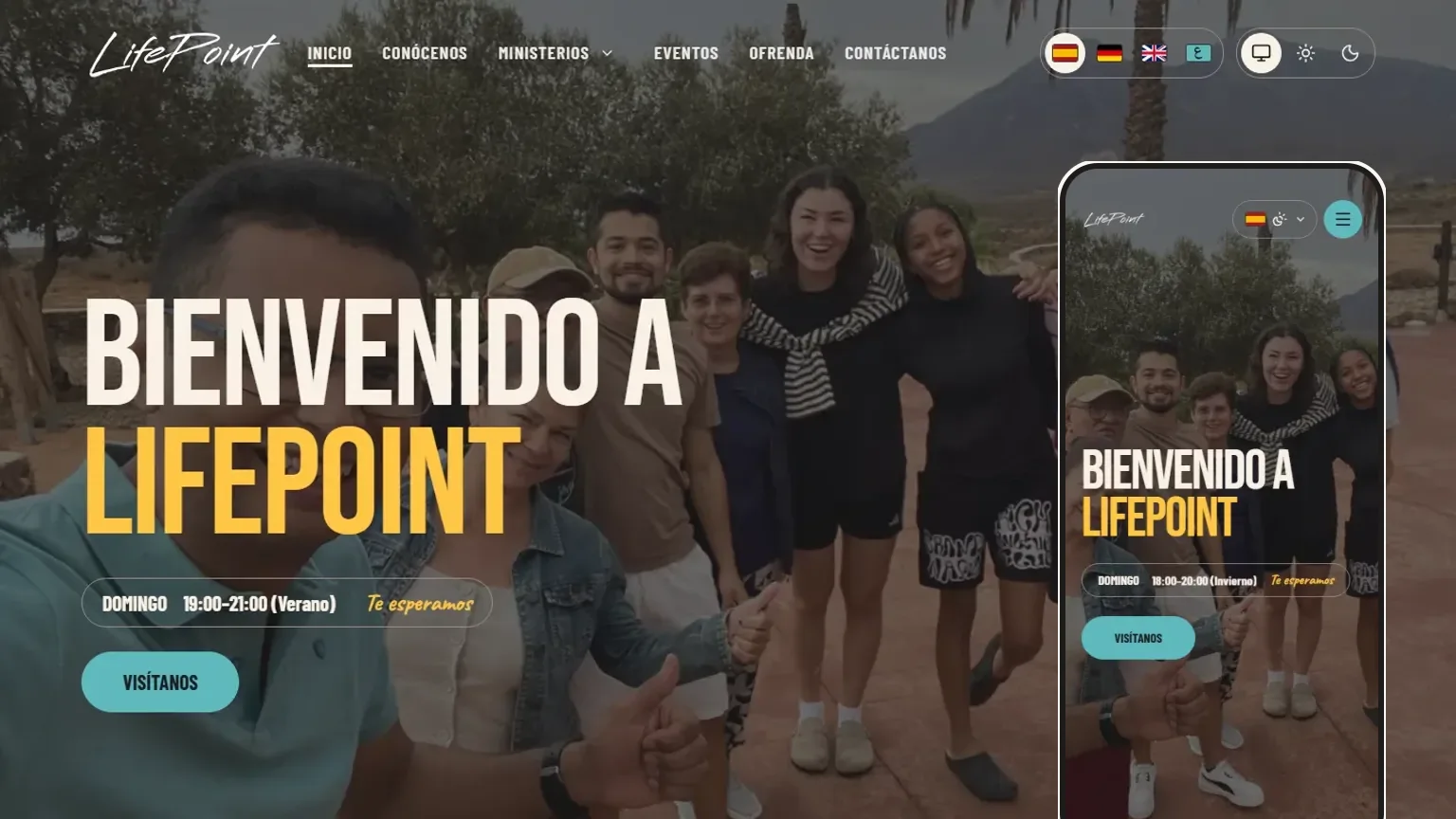
A checklist tells you what to verify at the end. A constraint changes what you are allowed to build in the first place. When I worked with the team on the second version of the Lifepoint Church website, a custom platform for a church in Almería, Spain, we published in four languages: Spanish, German, English and Arabic. That mix turned accessibility from a final review into a set of design rules that the code itself enforces.
What follows is a list of decisions, with the reasoning behind each. It is not a conformance statement. WCAG conformance depends on testing with real assistive technology and real people, and no amount of careful CSS replaces that.
Contrast is decided in the palette, not in the component
The church's brand colors are lovely as surfaces and weak as text. In the stylesheet we measured them: used as text on a light background, they land between 1.57:1 and 2.56:1, far below the 4.5:1 that body text needs.
So the color system has two layers. The brand layer holds the kit colors, untouched, and is used only for surfaces such as backgrounds, bands and buttons. A semantic layer holds what people read: in light mode, darker derivatives of the brand colors that pass on both white and the cream background; in dark mode, the brand color itself. Components ask for "foreground" or "primary", never for a raw hex value. The default Tailwind palette is switched off entirely, black and white included, so a stray text-gray-500 cannot bypass the system and no contrast check applies to it.
The same thinking covers text over photographs. A photo can contain any pixel, including a white one, so contrast on top of a photo cannot be guaranteed by looking at the photo. Instead, text sits on a scrim: the site's near-black ink at 66% opacity. Light text over that scrim measures 4.56:1 even if the pixel underneath is pure white. The contrast no longer depends on which picture the editor uploads.
Focus has to be immediate
The focus ring is a 2px opaque outline with an offset, drawn in a color that changes per surface. We chose an opaque outline over a translucent box-shadow because the indicator needs 3:1 against what surrounds it (WCAG 1.4.11), and its thickness also satisfies the focus-appearance criterion in 2.4.13.
The detail I like most came from measuring it. Tailwind's transition-colors includes outline-color, so on focus the ring started in the text color and took 300 ms to arrive at the ring color. In the inverted surface the first frame measured 1.00:1. The indicator was technically there and effectively invisible for a moment. The fix was a custom transition that animates color, background and border but leaves the outline alone. Keyboard users get the ring on the first frame.
A visible "skip to content" link comes first in the document, hidden until focused, and positioned with logical properties so it appears on the correct side in Arabic.
Motion is opt-in
Home has a photo background that slowly zooms and cross-fades, and a label for the service times that rolls between summer and winter schedules. Both are decoration, and both only run when the visitor has not asked for reduced motion.
Two choices make that robust:
- Content that reveals itself on scroll starts hidden only inside a
prefers-reduced-motion: no-preferencequery. If the preference is "reduce", or if the observer script never runs, the content is simply visible. I avoidedvisibility: hiddenfor the pending state, because that would remove the elements from the tab order. - A global rule at the end of the stylesheet caps all animation and transition durations under reduced motion (success criterion 2.3.3). The animation delay is set to a negative value so every animation starts already finished. Without it, the first frame paints the first keyframe, which is transparent for most of the site's entrances, and things flash. I also avoided
animation: none, soanimationendhandlers still fire for any code waiting on them.
The rolling schedule label keeps both schedules in the HTML at all times, so a screen reader reads them whole. It pauses on hover and on focus-within, and under reduced motion it does not roll at all: the two lines are shown one below the other.
Right-to-left is a layout decision
Arabic is the one language of the four that reads right to left. The root element gets dir and lang from the locale, and the rest follows from writing the layout in logical terms. The team moved all the classes from physical directions (left, right) to logical ones (start, end) in a dedicated refactor before Arabic landed, and used rtl: variants only where something is genuinely directional, such as an underline that grows from the start of a link.
Typography needed its own handling. Arabic gets Noto Kufi Arabic for headings and Noto Naskh Arabic for body text, with the Latin fonts as fallbacks. The display face used for Latin headings has a single weight, so Arabic headings are set bold. Details of locale formatting matter too: Arabic times are shown in 24-hour format with Western digits, which matches the countdown on the page and avoids a stranded "م" at the end of a time range.
Fonts that fail
Web fonts fail. A browser with forced fonts, an extension that blocks them, a flaky connection. For the handwritten motto we wrote two fallback faces that point at the system's Georgia Italic and Times New Roman Italic, so the line degrades into a serif italic and not into a sans-serif. Each is scaled with size-adjust, using percentages measured from the same text in each font (Caveat comes out at 74.7% of Georgia italic and 83.3% of Times italic), so the line takes about the same space and the layout does not break. Font synthesis is turned off, so the browser never fakes a bold or italic that would distort a letterform.
Reflow and the longest German word
Layout breakpoints are in rem, so they arrive earlier if someone enlarges the browser's default text size. Text must also survive 320 px widths (1.4.10). "Veranstaltungen" measures 370 px in the display font at 70 px, and a 320 px viewport leaves 280 px of line. The answer was hyphenation, limited to words of ten letters or more so shorter words still fit on the next line, plus an overflow-wrap safety net for anything that would otherwise overflow. All of it depends on a correct lang attribute, which is one more reason to have the language in the data model from day one.
Forced colors and touch targets
In Windows high contrast mode, authored colors are replaced by system colors, and anything that signals state with a background color alone can disappear. The language and theme switchers mark the selected option with Highlight and HighlightText under forced-colors, so the current choice stays visible. Interactive elements in the menus and the slide-out panel use 44 px targets, which is the AAA size from 2.5.5. It costs little and helps on phones, where most visitors arrive.
The constraint changes the process
None of this was bolted on afterward. Because the palette, the motion rules and the logical-direction classes live in one stylesheet and one set of tokens, a new section inherits them. The part that does not carry over automatically is judgment: whether alt text says something, whether a label makes sense in each language, whether a flow works with a screen reader. Those still need people, and the next thing I would add is a routine of testing with real users of assistive technology.
If I had to give one rule from this project, it would be to measure. Almost every number in this post came from measuring something that looked fine.