
Live · since June 2026 · for Carmen Zambrano
The New Paper - A Trilingual Local Newspaper
A newspaper about Rotterdam, with a console where the editor publishes, a newsletter nobody receives without confirming, and comments that count once the email is verified. Designed and built end to end.
Role
Design & Development
Client
Carmen Zambrano
Stack
Next.js, TypeScript, Redis
Languages
ES · EN · NL
1. Overview
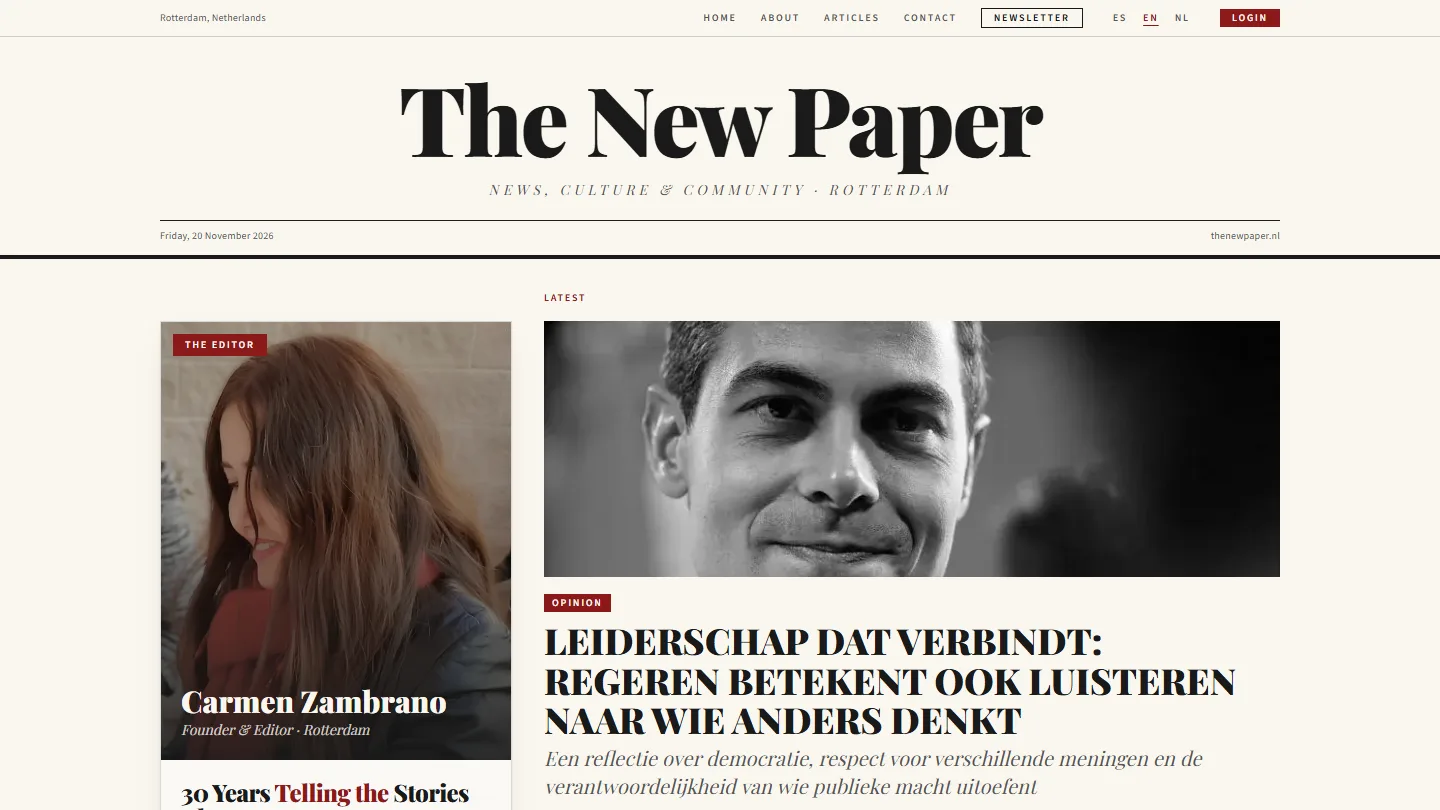
A local paper with its own publishing system. Carmen Zambrano is a journalist with over thirty years of experience who now lives in Rotterdam. The New Paper is the newspaper she founded and edits: news, culture and community from the city, written in Dutch and presented in Spanish, English and Dutch.
It began in June 2026 as her portfolio, designed like a newspaper front page. By October it had a name of its own, The New Paper, and the portfolio moved to a site of its own. This page is about the newspaper.
2. Goals
⚠️ What it needed to do
- Be edited by a journalist, not a developer: write, add photos, publish
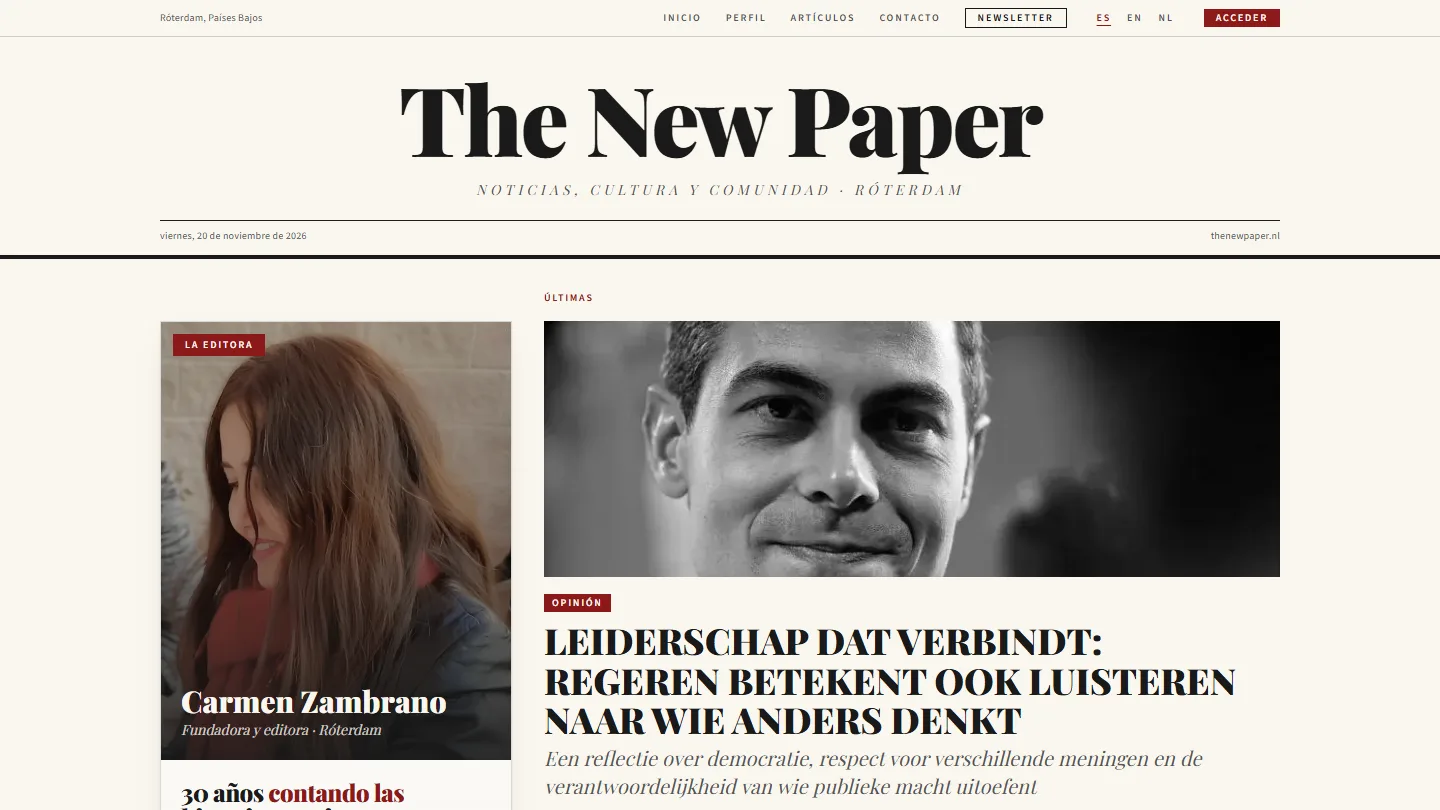
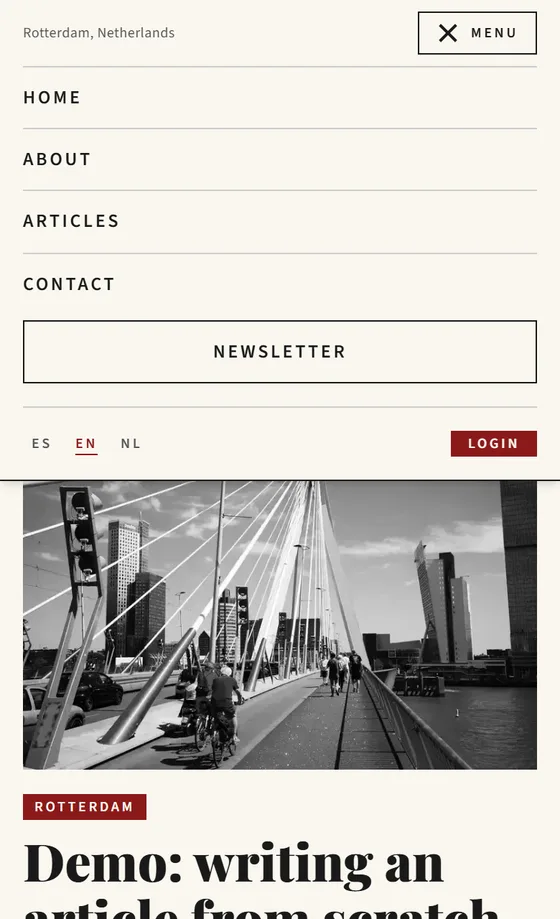
- Speak three languages: Spanish, English and Dutch interface, for a community that reads in all three
- Grow an audience with a newsletter and comments, without becoming a data liability
- Cost almost nothing to run and have very little to break
✓ The approach
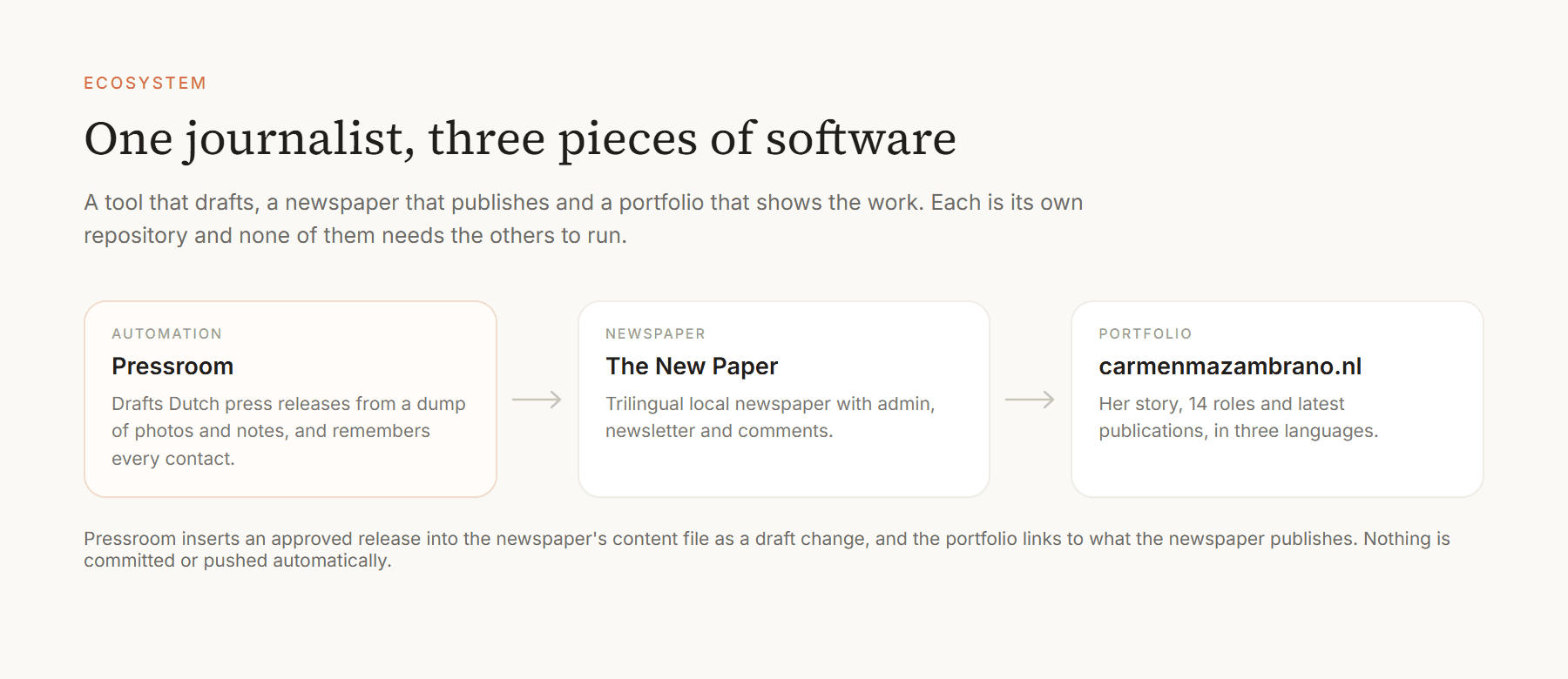
Public content is code, personal data is data. Articles are committed to the repository, so every publication is a reviewable change. Subscribers, comments and campaigns live in a separate store, because the repository is public.
3. The Front Page
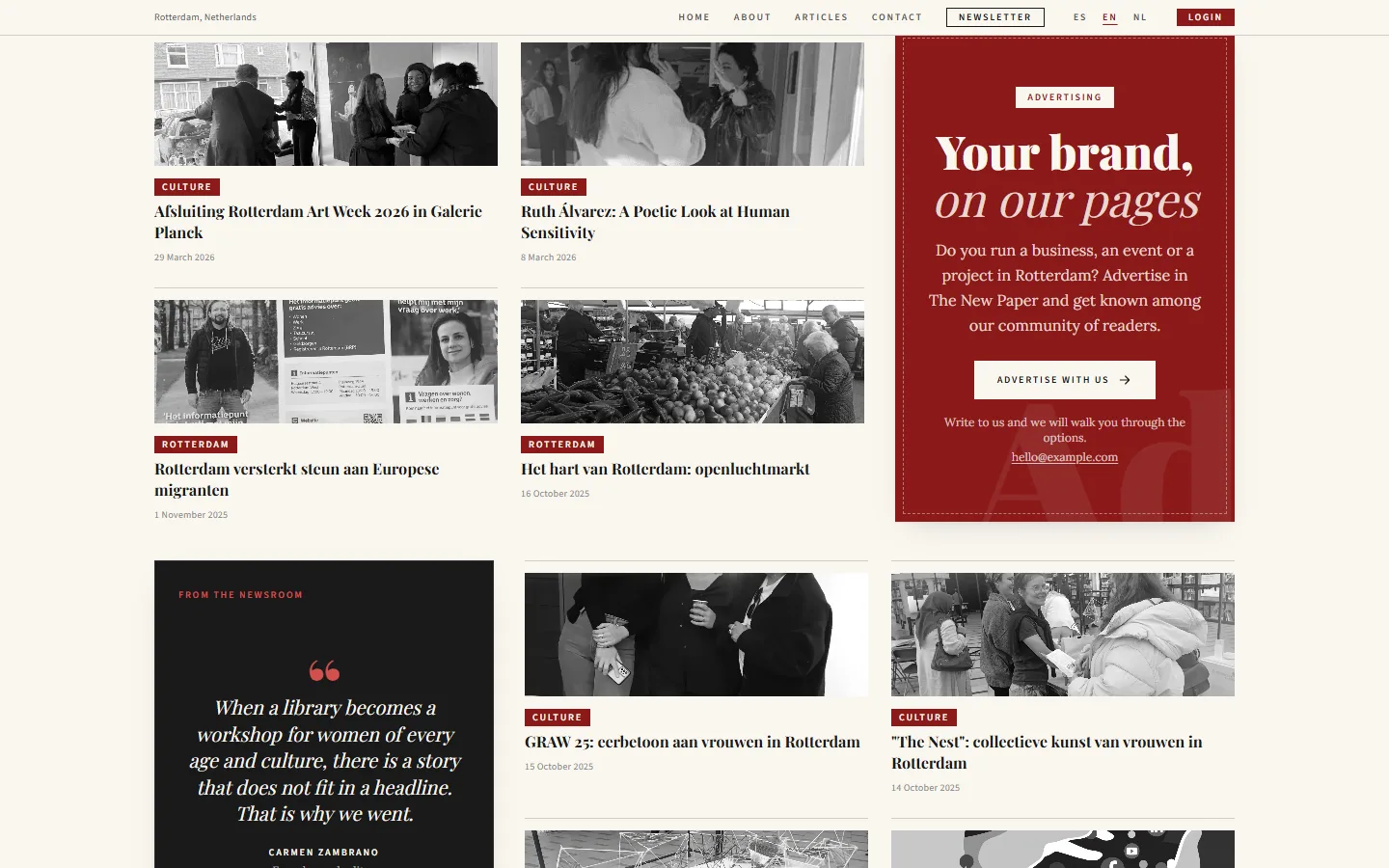
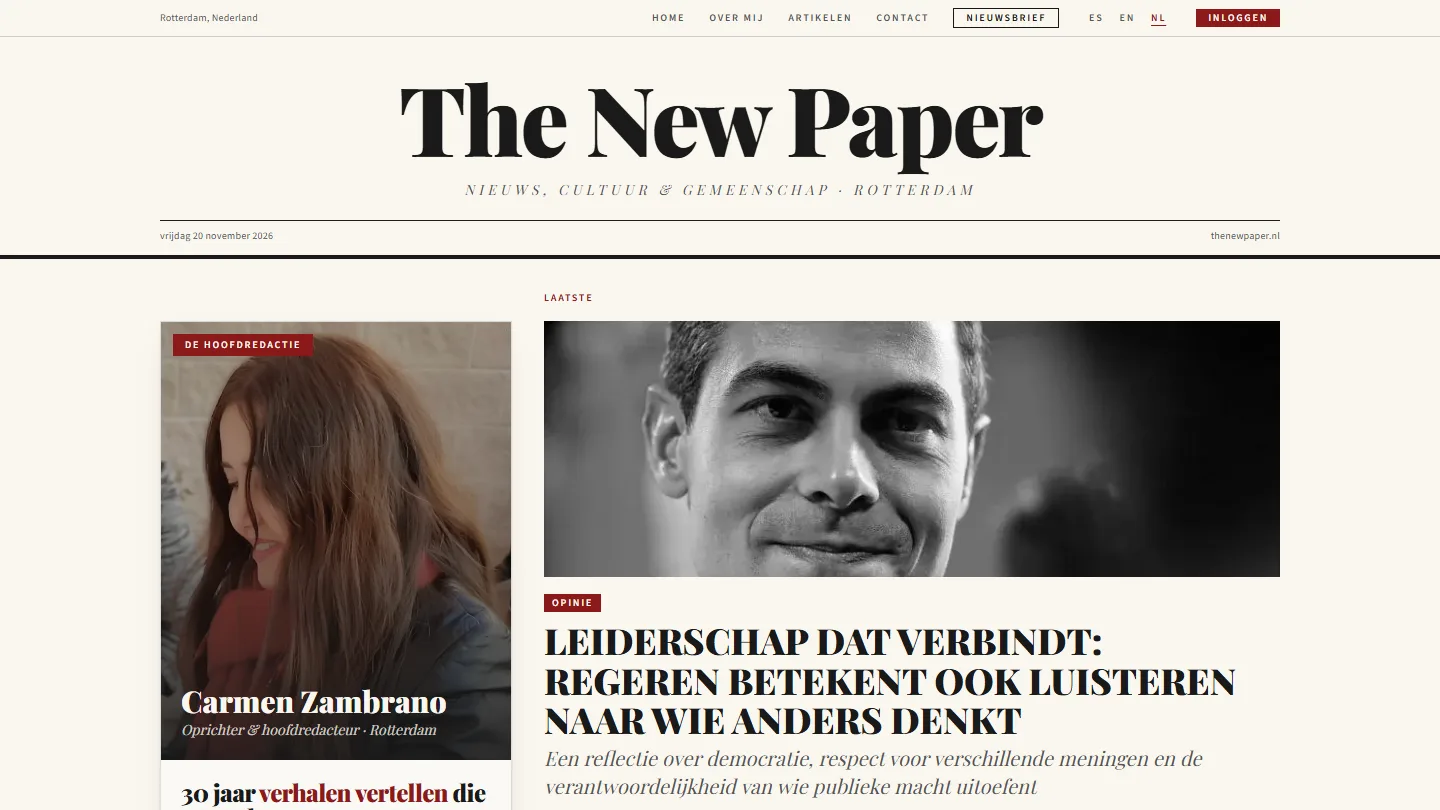
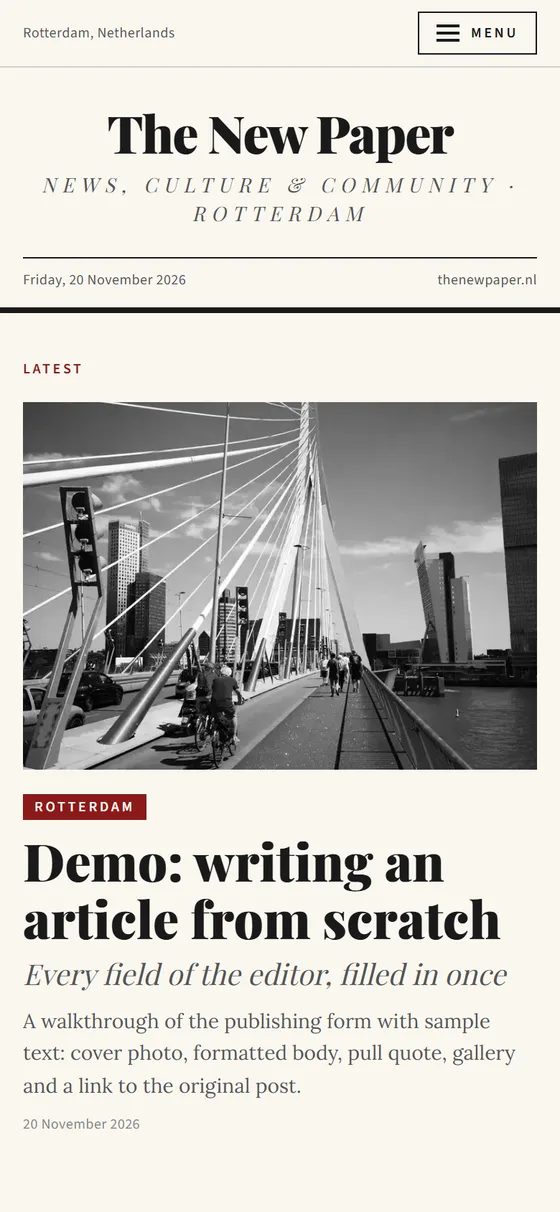
The design is borrowed from print: a serif masthead with the date, columns divided by thin rules, grayscale photography, and one burgundy accent for categories and calls to action. A light redesign softened the cards and introduced the burgundy newsletter band.
Editor's card: A profile block beside the lead story, so the paper has a face from the first screen.
Latest news: A looping carousel with clickable dots, then the rest of the notes in two rows.
Voices from the newsroom: Quotes from the editor and the team about published notes, each linked to its article.
Advertising: Three sample ads show how paid placement will work. They are labelled as examples, and their content comes from each advertiser's own pages, with no invented services or figures.
4. Reading and Commenting
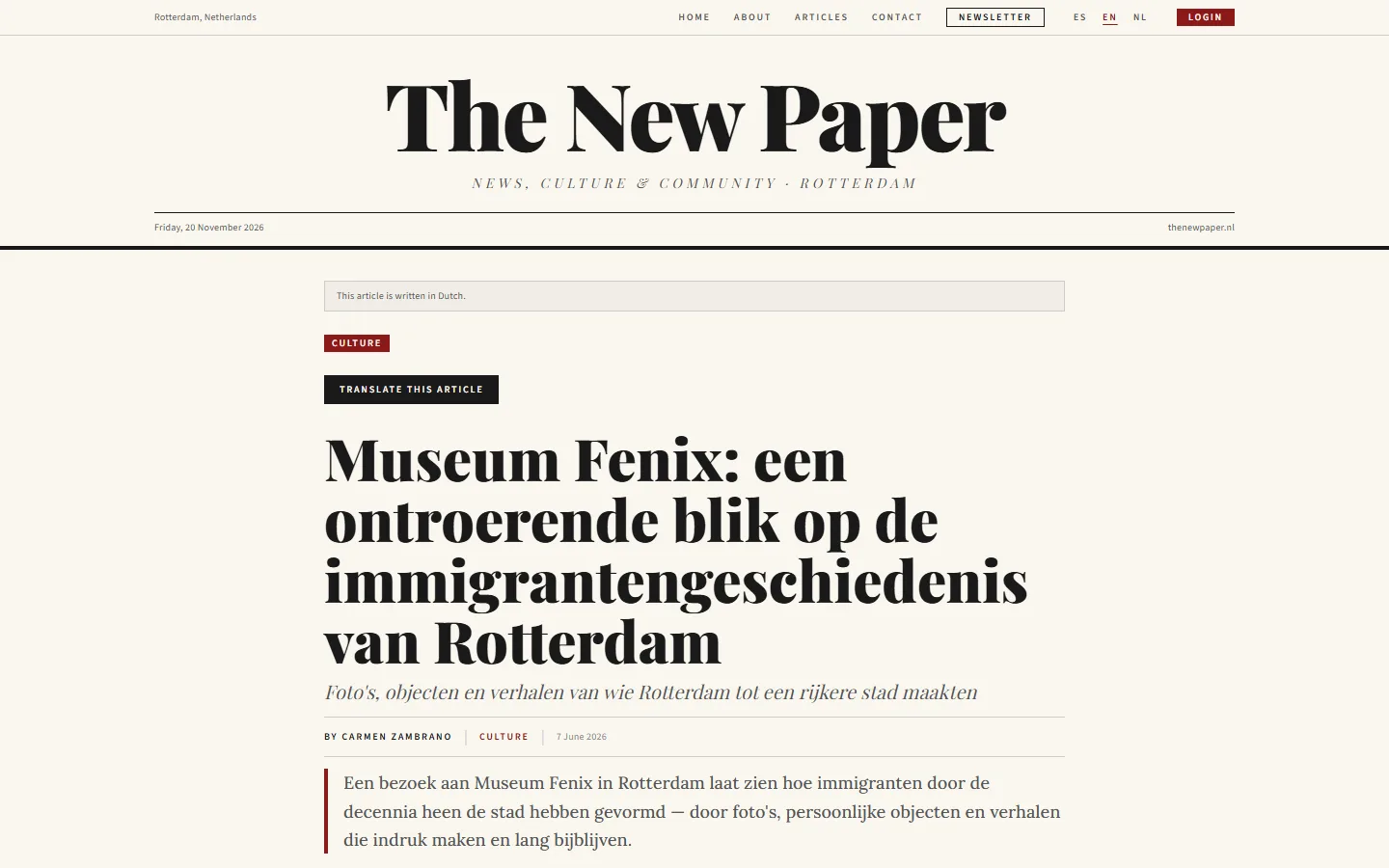
Articles are written in Dutch, and a reader whose interface is in another language sees a notice and a translate button.
Translation on the device: The button uses the browser's built-in translator (Chrome 138+ and desktop Edge). The text never goes to a server, and the byline is left alone because it is already in the interface language.
Rich content: Paragraphs, subheadings, pull quotes, photo galleries with a lightbox, embedded video and an info box with practical details.
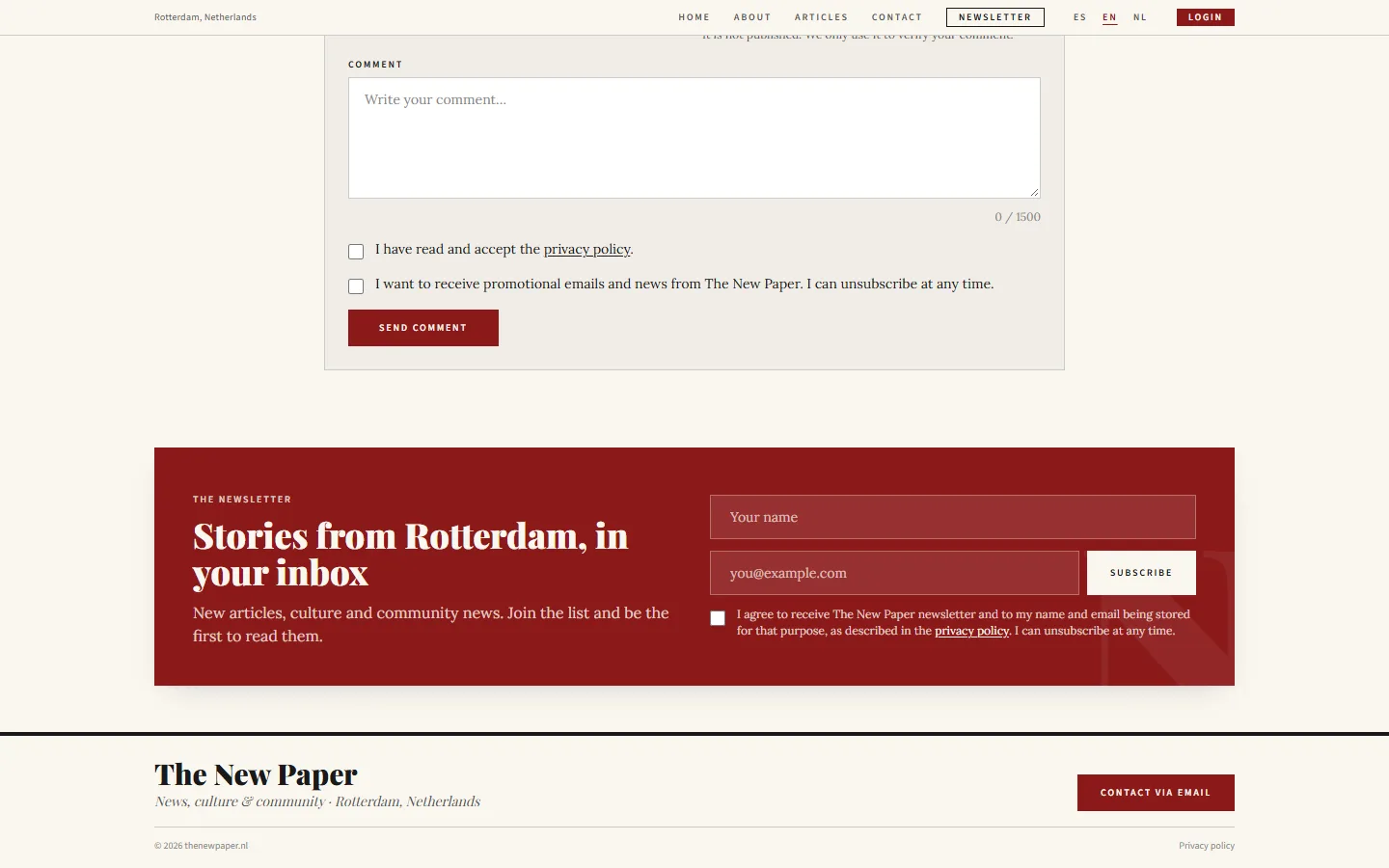
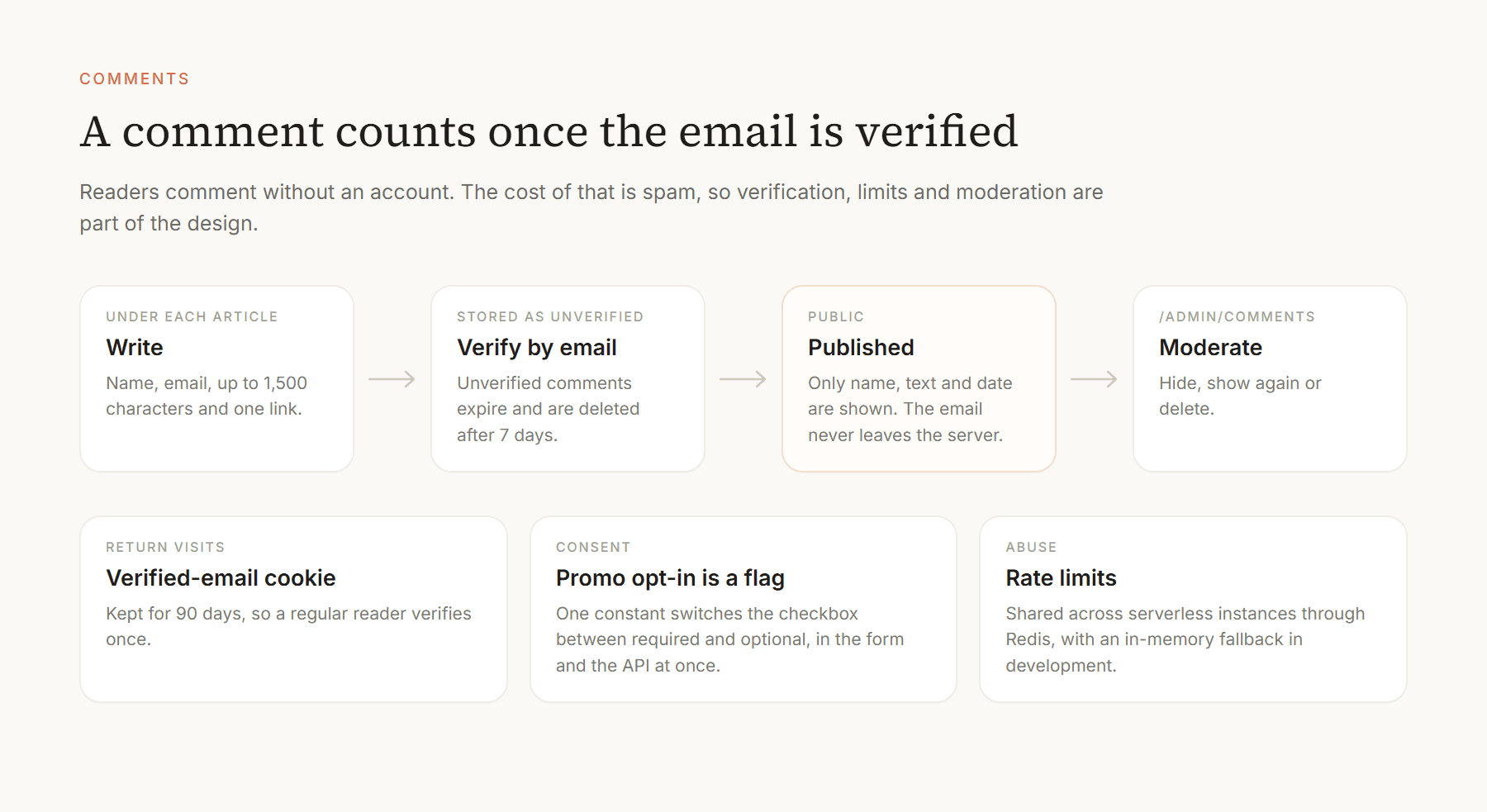
Comments without accounts: A reader writes a name, an email and up to 1,500 characters. The comment appears once the email is verified.
5. The Console
The console is a small admin behind a signed session cookie: a sidebar with the editor, the list of notes, comments, subscribers and the newsletter. It was designed around one person publishing from a laptop or a phone.
Write and publish: One form turns an article into commits and a rebuilt site. The next section follows it step by step.
Moderation: Comments can be hidden, shown again or deleted. Hidden comments stay visible to the editor.
Subscribers: Search, status, language and source of each sign-up, a CSV export, and a copy-unsubscribe-link button for people who ask by email.
The screenshots below use fictional subscribers and comments. They advance on their own and stop when you hover; click one to enlarge it.
6. Publishing an Article
Publishing is the console's main job, and it is a single form: the title and subtitle, the language the note is written in, a category, a date, an excerpt for the cards, the text, an optional pull quote, a cover photo, a gallery and an optional link to the original LinkedIn post. The steps below are the real flow, run once on a copy of the project with sample text and public photos.
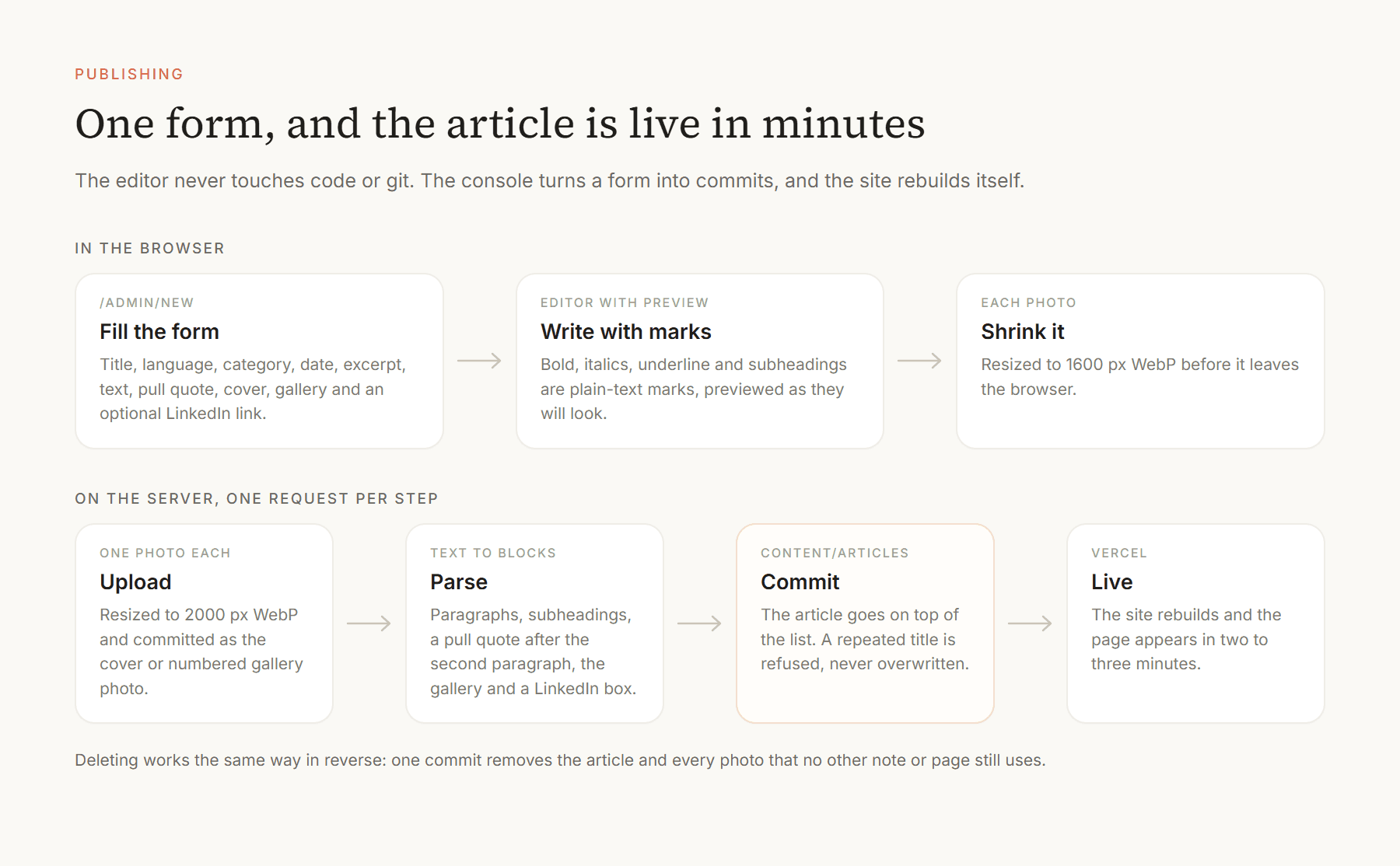
Text with marks, not HTML: Bold, italics and underline are written as ** * and ++, a line starting with ## is a subheading, and a blank line starts a paragraph. The toolbar and Ctrl+B, Ctrl+I and Ctrl+U insert the marks, and the browser's undo still works after using a button.
A preview that is the real thing: The preview uses the same renderer as the public article, so what the editor sees is what the reader gets.
Language per article: Each note is written in one language and the form says so, so readers whose interface differs see a notice and a translate button.
Photos that always fit: A cover and as many gallery photos as needed. Each is shrunk in the browser to 1600 px WebP, uploaded in its own request and resized again on the server, so a phone photo never hits the 4.5 MB limit that once broke publishing.
Safe by default: Required fields block the button, a repeated title is refused instead of overwriting, and errors say what happened in plain language: the session expired, a photo is too heavy, the server took too long.
Every step is a commit: An article arrives as commits named after it, and deleting is also one commit: the admin-only button removes the article and its photos, except any that another note or the About page still uses. Git history is the undo.
7. Architecture
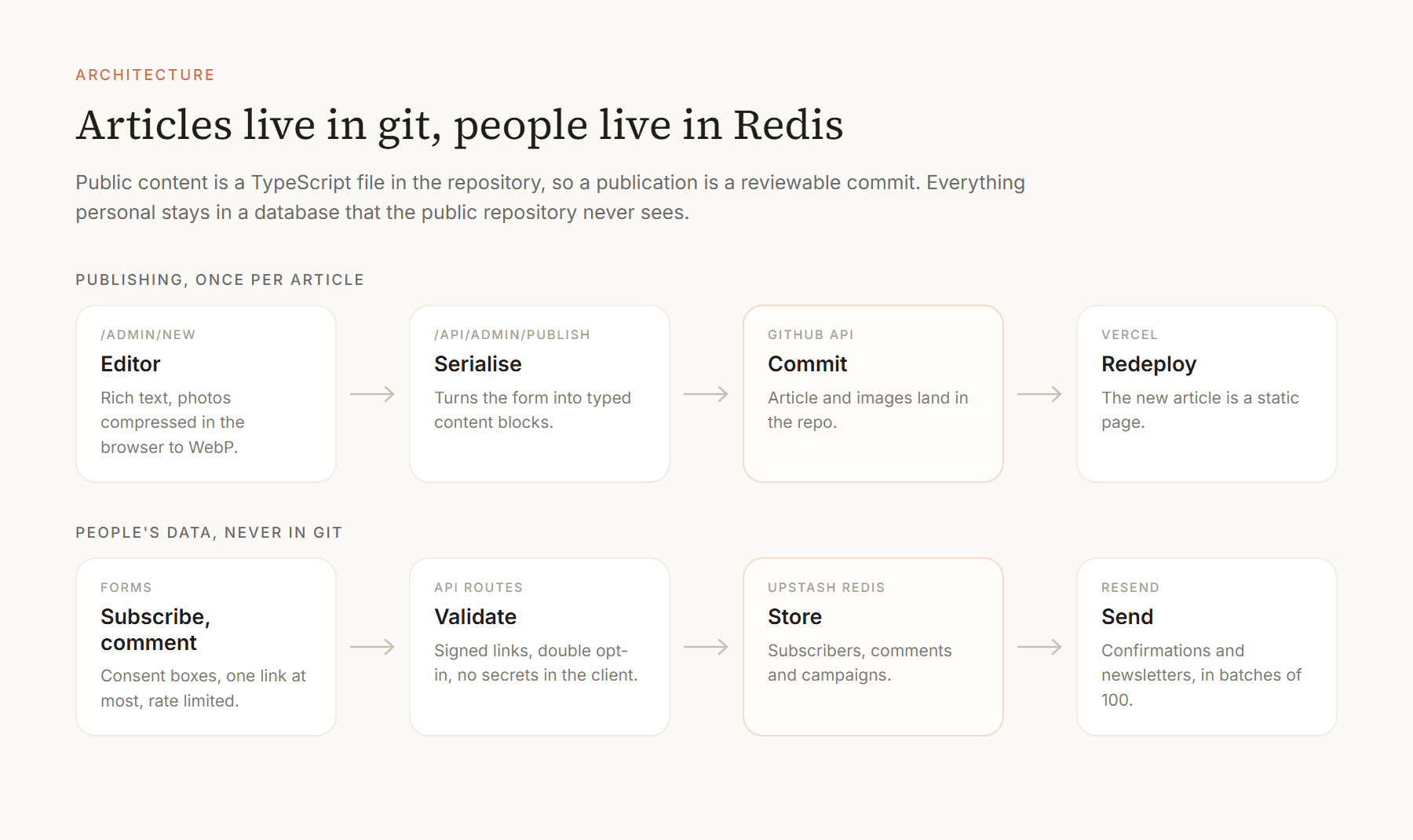
There is no CMS and no application database for articles. Publishing serialises the form into typed content blocks and commits them through the GitHub API; Vercel redeploys and the article becomes a static page. In development, a local mode writes to disk instead, so the whole flow can be tested without touching GitHub or Vercel.
Everything personal goes elsewhere. Subscribers, comments and campaigns live in Redis (Upstash), with a JSON file in development, and email goes out through Resend. Without a Resend key, a development build writes each email to an outbox folder instead of sending it.
8. The Newsletter
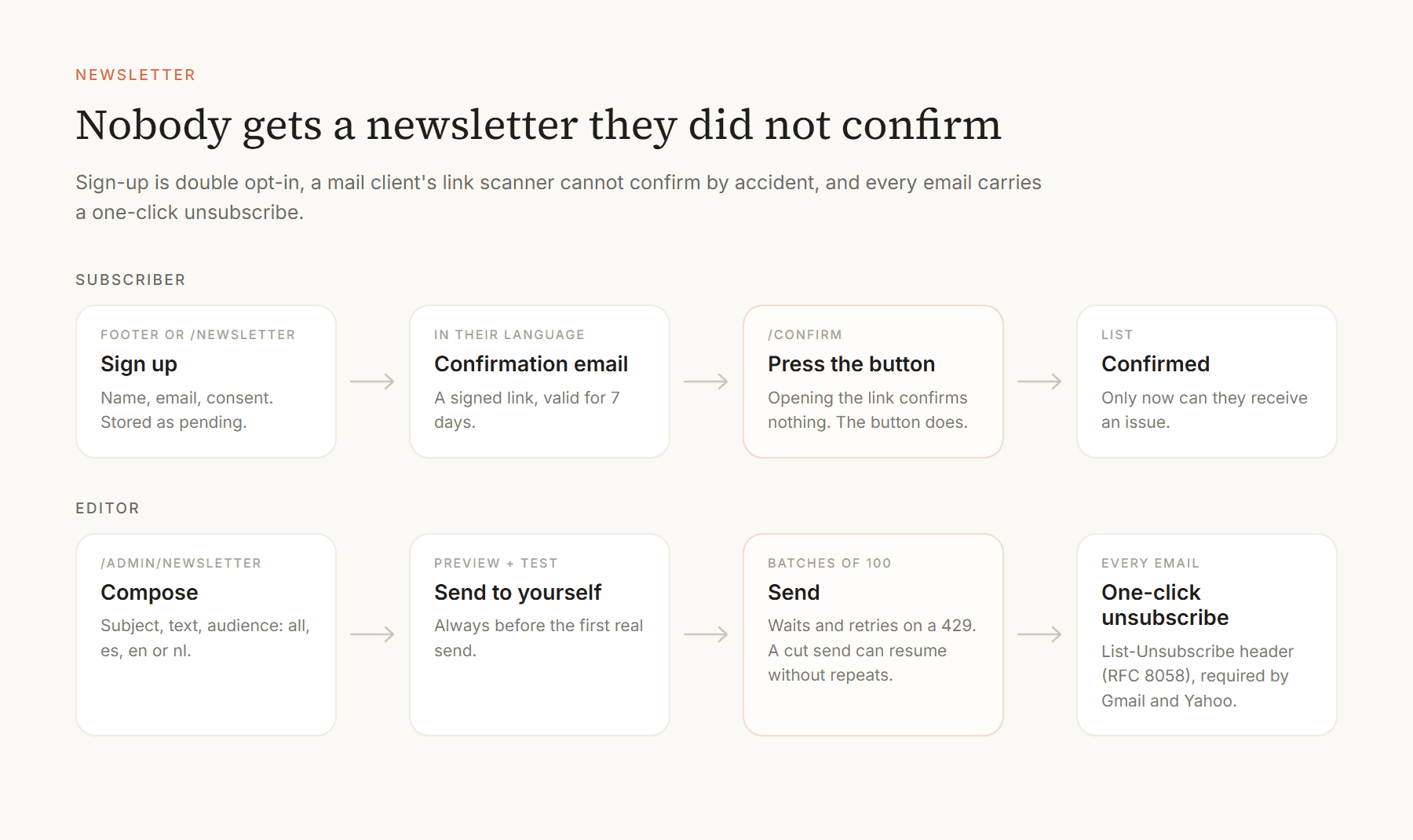
The newsletter is the part with the most rules, because it is the part that can hurt a reader.
Double opt-in: A sign-up is pending until the person confirms from an email in their language. The link is valid for seven days.
A button, not a link: Opening the confirmation link confirms nothing. Antivirus tools that visit links would otherwise subscribe people by themselves.
One-click unsubscribe: Every email has a personal unsubscribe link and the List-Unsubscribe headers that Gmail and Yahoo require. Unsubscribing removes the person from the list.
Sends that can resume: Issues go out in batches of 100, wait and retry when the provider says slow down, and a cut send continues from the history without repeating anyone.
Audience by language: All subscribers, or only Spanish, English or Dutch readers, with a preview and a test email first.
9. Privacy and Safety
A privacy policy in three languages: It describes what is stored for subscribers and commenters and with which providers.
Rate limits: Sign-up, comments and admin login are limited, shared across serverless instances through Redis.
Signed links: Confirmation and unsubscribe links are signed, so they cannot be forged or guessed.
Private by construction: A comment's email never leaves the server, and unverified comments are deleted after seven days.
Six test scripts: End-to-end tests for publishing, sign-up, languages, rich text, the newsletter and comments, run against fake Redis and Resend servers so they touch nothing real.
10. Key Decisions
Articles as a file instead of a CMS
A CMS adds a service, a login and a bill. A file in git adds history, review and rollback for free, and a static page is the fastest and cheapest thing to serve. The cost is that publishing is a commit, which is why the console exists.
A public repository, so people live elsewhere
Making the code public forced a clean line: nothing about a person is allowed in git. It also made the newsletter runbook honest, because it can describe the system without any secret in it.
Translate on the device
A translation API would be better in places, but it would send each reader's page to a server and cost money per article. The browser's own translator is free, private and good enough for news, and where it is missing the button simply does not appear.
Consent as a switch
Commenting currently requires ticking the promotional-emails box. That is an editorial choice, but GDPR asks for marketing consent to be free and separate. The rule lives in one constant, and the form and the API both adapt when it is turned off.
11. Outcome
3
languages in the interface
19
articles published
6
end-to-end test scripts
~10k
lines of code
0
databases for articles
12. Role
I designed and built the newspaper end to end: the design system, the public site, the console, the newsletter and the deployment. Carmen is the editor and decides what gets published; the console is built for her to use on her own.
Key Takeaways
- Separate what is public from what is personal: Putting the code in a public repository made that line impossible to blur.
- Consent flows are product design: A button instead of a link, and a one-click unsubscribe, cost little and protect the people the paper depends on.
- Boring parts are a feature: Static pages, a file and a key-value store leave very little to maintain.
Next steps: Handle bounces and spam complaints through the provider's webhooks, schedule sends for a chosen hour, and clean up expired pending sign-ups automatically.